Ans: DeviceFixes is the top-rated solution due to its complete recovery capabilities. It helps retrieve data at reasonable pricing, and it is quite user-friendly.
Top 5 iPhone Recovery Software to Use in 2026

Updated On March 13, 2026
iPhone recovery software helps you retrieve your lost data that was accidentally erased or lost by any other cause. There are times when you lose some important files on an iPhone, but you don’t have to worry if they have not been erased permanently.
There are several third-party data recovery software programs that will help you gain access to those files again. If you are experiencing screen issues while trying to navigate your device, check this guide on how to fix an iPhone screen not responding to touch. In this writeup I’ll mention some of the best iPhone data recovery software.
Table of Contents:
- What is iPhone Recovery Software?
- How iPhone Data Recovery Software Works (Step-by-Step)
- Types of iPhone Recovery Software
- Phone Recovery Software for iPhone – What Data Can Be Recovered?
- 5 Best iPhone Recovery Software in 2026
- Best iPhone Recovery Software – Feature ComparisonKey Comparison Insight
- Limitations of iPhone Data Recovery Software (Important Reality Check)
- When iPhone Recovery Software Does Not Work
- Software vs Professional iPhone Data Recovery
- How to Choose the Right iPhone Recovery Software?
- Is Third-Party iPhone Data Recovery Software Safe?
- Final Verdict – Is iPhone Recovery Software Worth It?
- Frequently Asked Questions
What is iPhone Recovery Software?
If you’re accidentally missing files on your phone and want to get them back, iPhone recovery software can be a very helpful way to do this. You don’t have to restore your whole phone to recover lost files with this software, as it allows you to retrieve historical data without spending time recreating every lost file. Sometimes users find spots on phone screen or other display issues; if you are facing these, professional repair might be needed, which can vary incost to repair a phone screen.
For those that are new to phone data recovery: When you lose data on your device, it is technically still there, but simply not marked as “in use.” You can then scan the storage areas or saved backups (if applicable) from the previous scan to find out what you can get back.
Some common reasons for needing to recover files from an iPhone include:
- Accidentally deleting pictures or videos
- Losing contact information or call history
- Deleting a message thread or chat
- Having an iOS update fail and losing data in the process
- Have your iPhone crash and need to reset it to factory settings
Using iPhone recovery software lets you find and recover lost files before new data overwrites them.
Restoring vs. Recovering data:
Restore: A complete data replacement using a backup file to be restored from.
Recover: Retrieve specific files you have lost (deleted). No data will be changed by the recovery process (other than reusing space from an old file you removed).
Restoring data is helpful for those with backups, whereas recovering selected files is a more efficient option for individuals who do not have backups.
Reason for Apple’s Limiting Deep Access
Apple uses very strong encryption and software privacy protection.
Due to these:
- Storage is encrypted at the hardware level
- There is no access by third-party tools to raw storage directly.
- Recovery tools must be accessed using Apple-authorized access.
- This protects the end-user’s privacy but hinders the ability to recover down deep.
How iPhone Data Recovery Software Works
When running a data recovery program, it scans for any recoverable files; data recovery programs usually locate files stored as “cached” or “recently deleted,” as well as files located in an accessible data store or backup.
Most data recovery programs are able to scan backup files on your computer or your iCloud account to see if there are any recoverable files in backups that were deleted from your device. If your system is sluggish, you might also want to learn how to fix a slow computer to ensure your recovery process runs smoothly.
Types of iPhone Recovery Software
There are two types of iPhone recovery software: backup-based restore tools and 3rd party data recovery tools that will scan both your device and any available backup data on your device.
You can determine which recovery tool to use by knowing what type of tool it is.
iPhone Data Restore Software (Backup-Based Recovery)
iPhone data recovery software recovers files from a backup using iTunes and iCloud. Because it relies on existing backups, this recovery method provides several advantages:
- Fast and reliable recovery
- Safe restoration process
- High recovery success rate
- Ability to recover selected items or full backups
Third Party Data Recovery Software for iPhone
A third party data recovery tool is used to recover your data by scanning both your device and your iCloud backup for items that were deleted and not yet recovered.
Some of the features of a third-party data recovery tool include:
- Access using Apple-approved APIs
- No need for jailbreaking
- Ability to preview the data to be recovered
- Selective recovery of your deleted data from the scan of the backup.
However, third party data recovery tools often face limitations due to Apple’s encryption system.
Phone Recovery Software for iPhone – What Data Can Be Recovered?
The iPhone recovery tool can recover all kinds of personal data and system data based on how they are stored and if a backup exists for the data. If you are missing calls or find that your phone is not ringing, ensure your settings are correct before assuming data loss or a hardware fault.
1. Images/video
If the image/video was recently deleted, backed up, or not overwritten, recoveries are typically successful.
2. Messages and WhatsApp messages
Recovery of messages and WhatsApp messages includes the following:
- SMS (iMessage) messages
- WhatsApp messages
- Attachments/media included with the messages
- Backups improve recovery success.
3. Contacts and call records
Deleted contact, call log, and saved number information is typically retrievable from backups, or may be.
4. Other Miscellaneous Data
Additional recoverable types of data include:
- Notes
- Calendar entries
- Reminders
Notes, calendar entries, and reminders are typically stored in iCloud.
5 Best iPhone Recovery Software in 2026
Now let’s take a look at the 5 best iPhone recovery software that would bring back your lost data. The list includes:
1. AnyFix
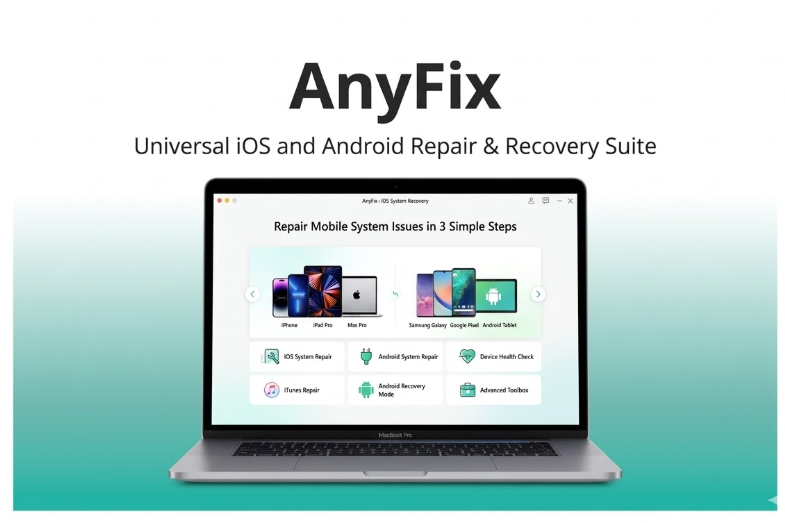
AnyFix is a general iOS repair and recovery software program that aims to repair over 150 problems on iOS, iPadOS, and tvOS devices. Not only does it eliminate system glitches, but also assists in restoring the lost information like photos, messages and other valuable files. The software will have three repair options, namely, Standard, Advanced, and Ultimate where users can select the repair level depending on the seriousness of the problem.
Moreover, AnyFix is able to extract data out of iOS gadgets, iTunes backups, and iCloud backups. It also promotes iOS upgrades and downgrades, provides a device reset without the need of a password, and effectively troubleshoots the numerous iTunes errors. AnyFix will sell at a beginning price of 34.99/year.
2. Dr.Fone
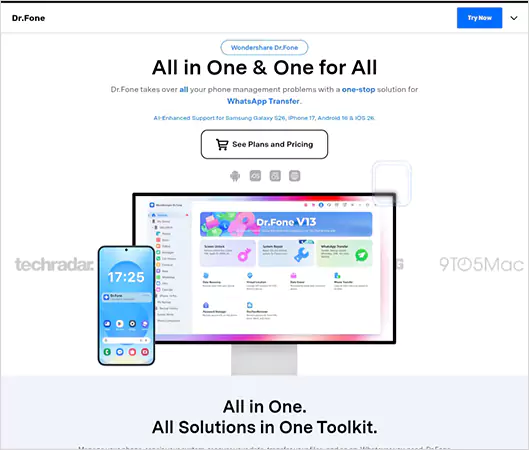
Dr.Fone is one of the most widely used pieces of software for data retrieval from iPhones, and users often use it to retrieve deleted photographs, messages, contacts, and much more.
It is known for being user-friendly and can be used by anybody. Dr.Fone can work even if you don’t have any backups and can also restore files from multiple sources, including iTunes and iCloud.
3. PhoneRescue for iOS
PhoneRescue can complete logical scans and backups of your device, as well as selectively seek out only specific data you want to recover.
You can also preview files before recovering them and choose which files you want to revive. PhoneRescue also has an iOS repair tool, which can help fix boot loops, frozen screens, and other such issues.
4. Tenorshare UltData
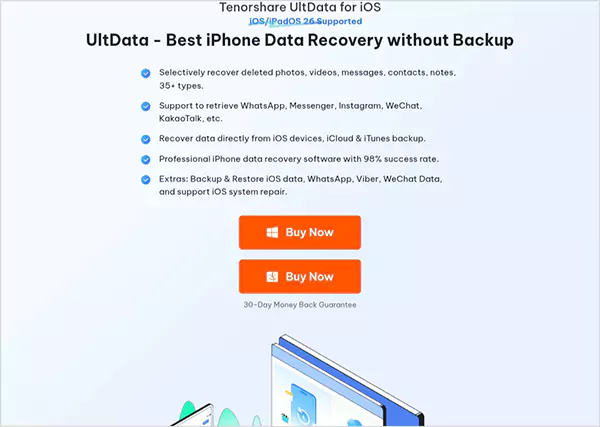
Tenorshare UltData is a reliable recovery software that will help you retrieve 35+ types of files. It can recover many different types of files and does not require the use of a jailbreak.
This recovery software also works flawlessly on iPads and offers a high recovery success rate. It is considered to be one of the best iPhone recovery software programs.
5. Stellar
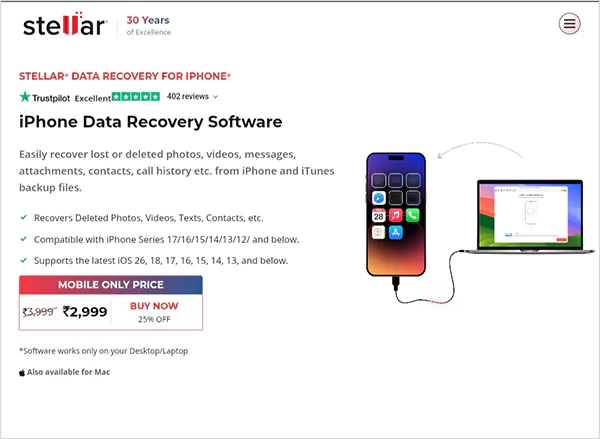
Stellar has established itself as a premier smartphone recovery solution, utilizing the latest technologies to safely recover lost data from an iPhone device.
The software also has the ability to recover deleted calls, files, or photos from iTunes and iCloud backups. The software provides iPhone users with dependable recovery services they can trust.
Best iPhone Recovery Software – Feature Comparison
Some of the most significant differences are:
- DeviceFixes offers software and hardware recovery
- All tools will work with backup recovery
- The preview function allows for greater accuracy when recovering
- Recovery from backup will yield a higher success rate
- DeviceFixes has the best and most complete recovery solution
Limitations of iPhone Data Recovery Software (Important Reality Check)
The iPhone has a strong encryption system that blocks deep scanning. Some of the major limitations include:
- New data replaces deleted data with a void warranty (permanent).
- Optimized storage does not maintain the original files
- Factory reset without a backup means your data cannot be recovered.
When iPhone Recovery Software Does Not Work
Data recovery programs will not retrieve data in hardware problems.
- Motherboard Damage: No Access to Storage.
- Water-Damaged iPhone: Damage to Storage Chips.
- NAND Failure: Permanent Data Loss.
- iPhone is in a Boot Loop: No Standard Access.
Software vs Professional iPhone Data Recovery
Software recovery is used for logical failures, and professional recovery is used for hardware damage.
Software Recovery Applies to:
- Deleted Files
- Backup and Restore
- Software Problems
Professional Recovery Applies to:
- Water Damage
- Hardware Failure
- Storage Corruption
How to Choose the Right iPhone Recovery Software?
Selecting suitable iPhone recovery software will depend heavily on its compatibility with all versions of iOS. The ability to recover lost data from multiple sources, such as iPads, iPhones, iCloud, and iTunes, and having built-in safety features.
- Check that iPhone recovery software is compatible with your current iOS version.
- Verify that all types of recovery sources are covered by the recovery software. The likelihood of recovering lost data greatly increases when it provides recovery capabilities from iPhones, iPads, and/or iCloud.
- The read-only scanning capability means there is little chance of damaging the existing data on the device and/or being unable to recover your lost data.
- Having preview capabilities before proceeding to recover your lost data can help determine how much data is recoverable.
Is Third-Party iPhone Data Recovery Software Safe?
Third-party iPhone data recovery applications can be safe when they use methods approved by Apple.
- No jailbreaking is necessary
- New technology operates safely
- Third-party applications will also use Apple-approved API’s to ensure data can be retrieved securely.
- When recovering data, take into consideration whether the provider you choose will protect your privacy.
Use an authorized/reliable service.
Final Verdict – Is iPhone Recovery Software Worth It?
iPhone data recovery software is a great way to recover lost data like photos, videos, contacts, etc. The advantages of using iPhone recovery software are secure scanning of lost information from a variety of file formats, like PDF, and preview capabilities before restoration. However, the use of iPhone recovery software will not be able to assist with retrieving data if you have suffered from a severe hardware malfunction.
Frequently Asked Questions (FAQ)
Q: What is the top-rated iPhone recovery software available today?
Q: How much does iPhone recovery software usually cost?
Ans: Every iPhone recovery software costs differently. It depends on what features they are offering, but on average, it can cost between $30 and $80.
Q: What types of data can iPhone recovery software recover?
Ans: iPhone data recovery software can easily recover photos, messages, contacts, notes, videos, and call logs. It’s also a safe method.
Q: Are there alternative methods to recover iPhone data without using recovery software?
Ans: Alternatively, iCloud or iTunes can be used for backup. These are safe ways to successfully retrieve data without using any software.
Q: How can I recover iPhone data for free?
Ans: There are multiple ways to recover iPhone data: you can use iCloud backup, iTunes backup, or free recovery tools.