Ans: To recover your recently deleted text messages on both Android and iOS, you have a 30-day window for accessing crucial folders like “ Recently Deleted”, Trash, or Archives, where all the vanished data remains for retention
How to Retrieve Deleted Text Messages on Android: Complete Recovery Guide

Updated On July 7, 2026
While cleaning the garbage from your phone, there are instances when you accidentally delete a crucial text message that might contain a piece of information that is needed regularly or required for a specific event.
This feels very painful, and many users start panicking instead of finding a solution. Which is why we have composed this detailed guide that tells you how to retrieve deleted text messages on every mobile operating system, along with some best practices to prevent these accidents.
Table of Content
- Can You Retrieve Deleted Text Messages on Android?
- How to Retrieve Deleted Text Messages on Android?
- How to Retrieve Deleted Messages Without Backup?
- How to Get Back Deleted SMS from Popular Android Devices?
- How to Retrieve Text Messages from Android Phone Using Google Messages?
- How Can You Recover Text Messages from Third-Party Messaging Apps?
- How to Find Deleted SMS If Messages Were Recently Removed?
- How Do You Get Deleted Texts Back After a Factory Reset?
- Common Reasons Deleted Messages Cannot Be Recovered
- Best Practices to Prevent Losing Important SMS Messages
- Frequently Asked Questions
- Conclusion
Can You Retrieve Deleted Text Messages on Android?
Absolutely, you can retrieve your deleted text messages on Android, as the latest budget smartphones and flagships have unique features like pre-enabled cloud storage, archives, and AI-based algorithms that identify crucial messages. Android systems ask for permission and verify your authentication before deleting any text message to prevent unwanted accidents or data loss.
What Happens When SMS Messages Are Deleted?
In most scenarios, when an SMS gets deleted, your device stores into categorized spaces called Archives or Recycle bins, which are separate from your phone’s memory, but you can access them within 15-30 days of deletion. Also, some factors affect this recovery status, like negligence in data backup, storage overwriting, or factory resetting the phone without prior backup arrangements.
How to Retrieve Deleted Text Messages on Android?
Reviving deleted conversations is not a complicated task; in fact, if you constantly keep things backed up, then you have already secured yourself from many data loss accidents. Let’s uncover different methods one by one.
Recover Deleted Messages from Google Backup
The easiest method to recover deleted messages in Android is using the Google backup option, as your conversations are stored in a separate cloud space that you can access anytime. You can also delete the conversation from your phone if you’re struggling with storage issues and upload them in the Google backup cloud.
Retrieve Deleted SMS Using Your Phone Manufacturer’s Backup Service
Also, every popular device like Samsung, OnePlus, Xiaomi, or Realme has its own cloud storage where they store important user data that includes your text messages too, and you can access all your deleted files, including your text messages, as they are stored in it.
Recover Messages Through Your Mobile Carrier
Retrieving messages through your mobile carrier is very rare, and success rates are very low, as there are so many security encryptions provided by your service providers, which makes it very hard for common users to access data.
Use Android Data Recovery Software
Although official methods get the most work done because of their unique storage capabilities, if things don’t work using them, then you can use these popular third-party tools mentioned below:
- Gbyte Recovery
- DrFone
- iMyFone D‑Back
- Tenorshare UltData
How to Retrieve Deleted Messages Without Backup?
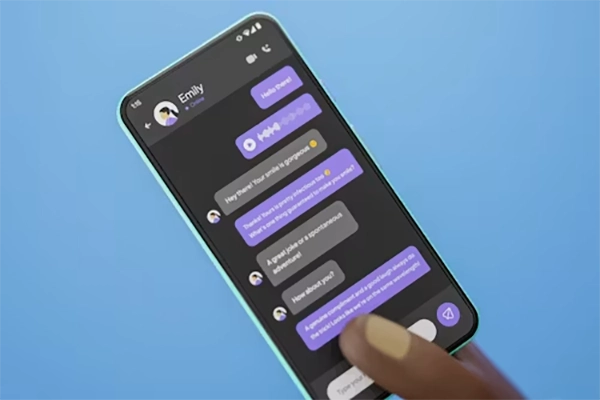
Well, the best way to retrieve deleted messages without a backup is to check the archives of the device, checking all the folders to find if any chat data is left or not, and the best thing is to use some third-party apps if you have disabled your backups. But other than the archives, there is a low chance that you can trace back your older messages, so don’t rely on it much.
How to Get Back Deleted SMS from Popular Android Devices?
Smartphones have a unique feature today that is powered by their brand, and they can help you to keep your data restored and safe from all vulnerabilities
Samsung Galaxy Phones
In Samsung Galaxy phones, there is a feature called Samsung Cloud that stores all the important data away from device memory and keeps it intact with its safety features. If you have enabled it from day one, then you can download your text messages back from its archived section.
OnePlus Smartphones
OnePlus smartphones have their unique cloud backup feature too that stores so many message backups, and you can archive your texts using Local Backups of your device. However, in recent OnePlus models, they are more inclined towards storing data to Google Cloud or Drive instead.
Xiaomi, Redmi, and POCO Phones
Similarly, in Xiaomi, Redmi, and POCO phones, there is a Mi cloud that stores all deleted texts for almost 30 days, and you can check this data in the Recycle Bin of the SMS corner of its settings. This way, all Mi users can claim their data back.
Read more: iPhone vs Samsung: Which Smartphone Is Better for You?
How to Retrieve Text Messages from Android Phone Using Google Messages
On Android phones, retrieving text messages is very easy if you have enabled backup, and even if you have disabled it, you can check.
Check Recently Archived Messages
Check the recently archived messages of your phone’s Google Messages using these easy steps:
- Open Google Messages.
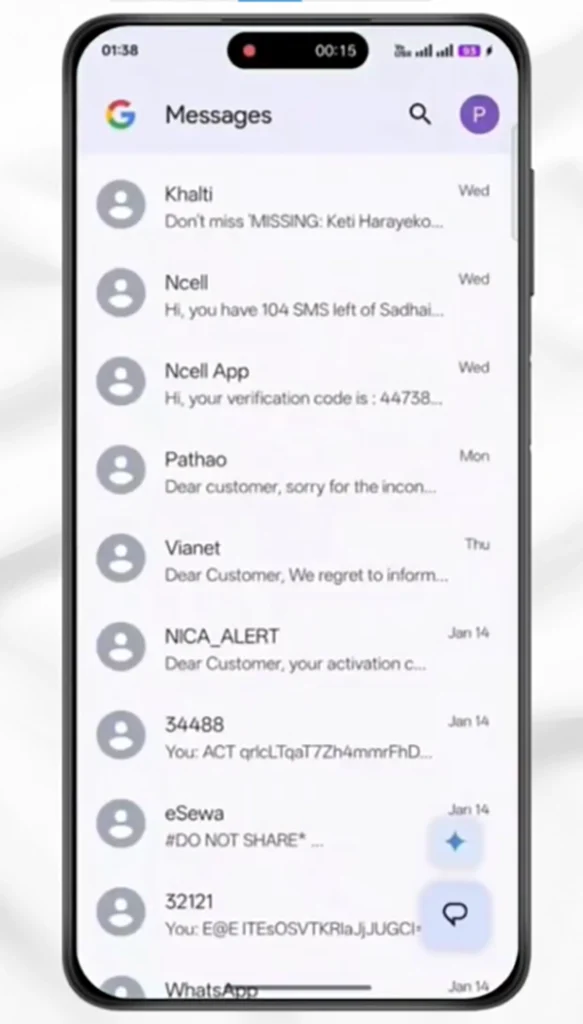
- Tap on your profile icon.
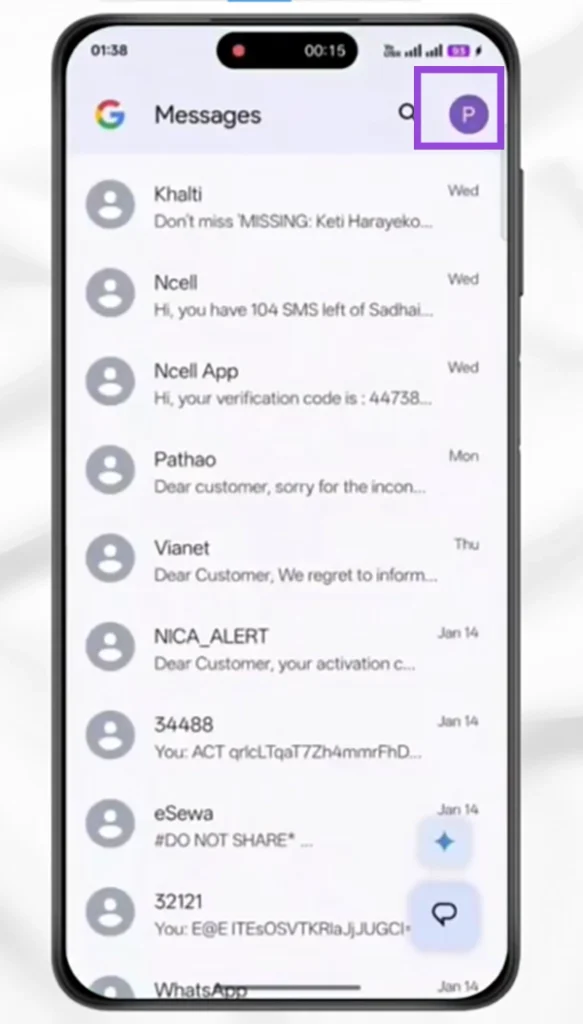
- Tap on Archived.
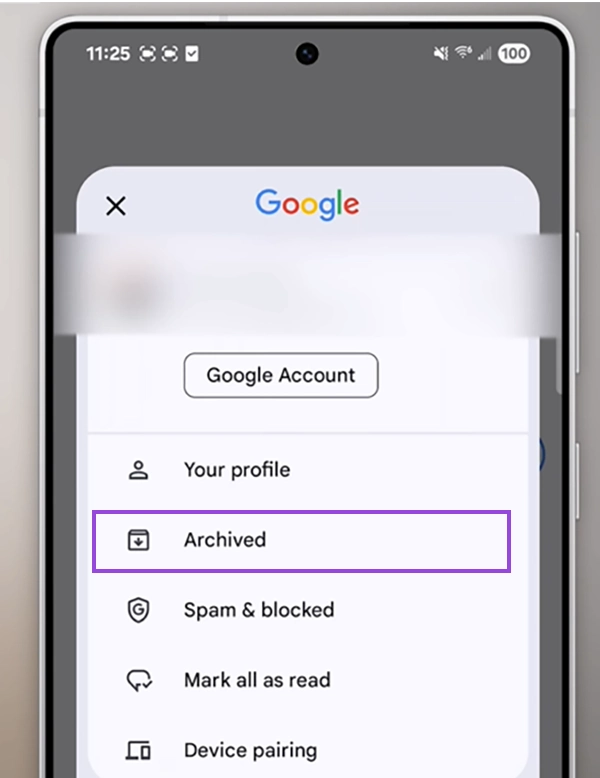
- Tap and hold the conversation you want to restore.
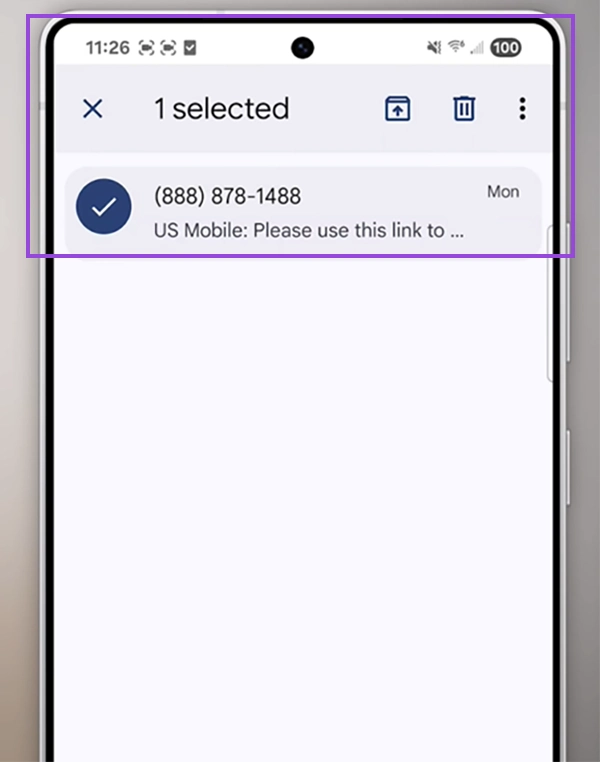
This way, recently deleted texts get back in the main grid of the messages.
Verify Google Backup Status
Always ensure that your Google backup is enabled from day one, and if you converse a lot on messages along with carrying a lot of visual data, then you can switch to the Google One Subscription, which will give 2TBs of cloud storage
How Can You Recover Text Messages from Third-Party Messaging Apps?
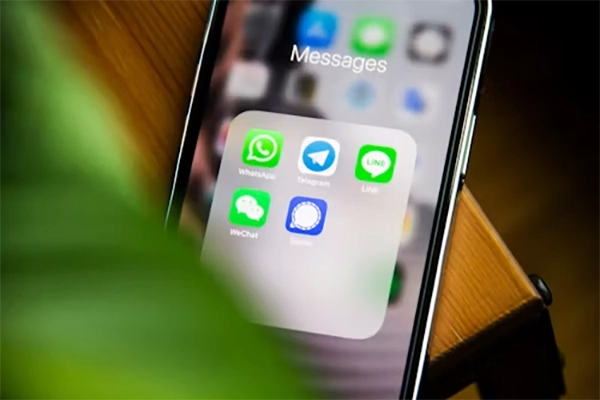
If you want to recover your text message data from various third-party applications like WhatsApp, Messenger, and Telegram, then all of these have different methodologies, and in this phase we are going to explore them one by one.
WhatsApp Message Recovery
WhatsApp message recovery has by far the easiest algorithm, and you can retrieve your data by just enabling your backup to the Everyday option, and it starts storing your app data directly into your Google or local cloud drives.
Messenger Conversation Recovery
Messenger is the most used conversation app by Apple users due to its intuitive user interface and optimization, which also makes it highly accessible for data storage. All you have to do is store your data on iCloud, or if you don’t have a subscription, then you can access the archives to recover all your text messages within 30 days.
Telegram Chat Recovery
While recovering Telegram chats is a bit of a tricky task due to its highly encrypted ecosystem and undefined patterns of storage in cloud servers. All you can do is check Archived chats or undo the hidden message; permanently deleted messages cannot be recovered.
How to Find Deleted SMS If Messages Were Recently Removed?
During situations when you accidentally delete an important text note, OTP, etc, some easy steps can instantly recover your deleted messages, and you won’t even have to restart or use a third-party tool.
First and foremost, the thing you can do is to check the recently deleted folders or the archives of the Google Messages app or your phone’s local messaging apps. Another way is to check other devices that have your email logged in. Lastly, you can check your device cloud backups, and in most cases, users find their recently deleted messages using these three steps.
How Do You Get Deleted Texts Back After a Factory Reset?
Pivotal messages can also disappear after a factory reset of your device, as it brings the device back to its day-one state where no user data, cache, or app memory is available. But there are some ways where, after a factory reset, all the text messages can make a comeback.
Restore Google Backup
The most hassle-free method to get deleted texts back after a factory reset is restoring your Google backup by logging in to your Gmail again, as it copies all the data back to the device from the cloud. It also fetches all the information on its own, and you just have to verify your credentials.
Recover SMS from Local Backups
Recovering text messages from local backups of your device like Samsung Cloud or Realme Cloud provides you with easy access to your data. For example, if you’ve been using a Samsung phone for years and have bought a new flagship model from the same brand, you can upload all your data to the local cloud and log in to that cloud server on the new one. You won’t miss out on anything, and all your pivotal messages will be intact.
Recovery Options When No Backup Exists
Well, there are some third-party recovery options on the internet if you fail to back up your data, but unfortunately, their success rates vary from device to device. This happens because some operating systems have strong encryption while others have loose ends in their coding architecture.
Read more: How Do You Turn Safe Mode Off on an Android? (Step-by-Step Guide)
Common Reasons Deleted Messages Cannot Be Recovered
Well, in some cases, there is a high chance that deleted messages will never get recovered, which happens mostly because of reasons revolving around two things: technical failure and user negligence. These reasons can be the outcome of severe problems like:
Data Overwriting
In new-generation mobile devices, there is a system framework in their storage units that prioritizes writing new data first and stores it, due to which sometimes the older chunks of data that contain your crucial information can be overwritten with the latest bits of memory. In this scenario, nothing can bring back our digital memories.
Disabled Backup Services
It has been seen often that many users have never enabled or disabled their backup utilities, which can be disastrous in many scenarios. So, if you are one of those who are not constantly backing up your data in a physical or cloud drive, then along with your text messages, you can lose access to all the crucial information like images, videos, and documents.
Device Storage Cleanup
During your device cleanup, you might accidentally delete your important text messages, which makes you regret it later. To avoid this sudden rush of guilt, always make sure to check the trash can or recycle bin to check that anything pivotal is not present there. Also, clean the messages according to your needs and not by your phone’s suggestion unless you are struggling to meet minimum device storage.
Unsupported Recovery Methods
If you rely on utilities like Google Drive or ICloud for backups of SMS text messages, then you are doing everything wrong, as these applications are not built to preserve them. They are mostly used for backing up documents and visual imagery formats; hence, you have to back up your message app directly to the servers or use a third-party tool for proper coverage of your textual data.
Best Practices to Prevent Losing Important SMS Messages
Last but not least, you can adopt some habits and use expert third-party tools to prevent losing your important sms messages so that the hassle of restoring old texts vanishes. They also keep the messages encrypted and allow you to access them on multiple devices.
Some of the important methods are listed below:
Enable Automatic Google Backups
The easiest thing you can do is enable the Google backups for all your texts, as all the latest Android phones have pre-installed Google Messages, which stores their data directly on the cloud without the hassle of manual selections.
Export Important Conversations
You can export some important conversations on your mobile’s special cloud unit in both image and text format, which helps to prevent data loss and improves the overall accessibility of your data, which can be used in critical situations.
Use SMS Backup Applications
Using third-party sms backup applications is also a great option for storing your message data in a personalized archive, but the only main obstacle in this resolution is the selection of legit tools, as neglecting verification and authority can lead to some severe data loss consequences.
Maintain Multiple Backup Copies
Well, who said you can use only one of these methods? In fact, storing data using the combination of these utilities brings the best impact, as your text is stored in multiple locations, which automatically improves the factors of security and anonymity. Also, if any backup gets corrupted or stops, you can access your information from a different source because of adopting this approach.
Frequently Asked Questions
How can you recover text messages that were deleted recently?
How to see deleted SMS on Android?
Ans: Viewing all deleted SMS on Android is pretty simple: just navigate to your recently deleted or archived folders, where the history of all removed texts is available.
How do you get deleted texts without a backup?
Ans: To get back the detected texts without a backup, you need to act rapidly as you only have the option to view the recycle bin for only a few hours after data, and every bit of data will be removed.
Can mobile carriers recover deleted text messages?
Ans: Mobile carriers cannot recover deleted text messages on their own, but they can present some metadata about the categories of text messages.
How to retrieve deleted text messages on Android for free?
Ans: In Android, there are some brand-based cloud servers like Xiaomi Cloud and Samsung, which store all your text credentials if you created your user ID on their platforms, and all deleted text messages get stored there.
Are deleted messages stored anywhere on Android?
Ans: No, permanently deleted messages are never stored anywhere on Android
How long can deleted SMS be recovered?
Ans: Deleted SMS can typically be recovered within 30 days natively via Recently Deleted on iPhone or Trash/Recycle Bin features on Android
Can I recover text messages after a factory reset?
Ans: After a factory reset, you can never recover a single bit of data from your device unless you have your backup stored in the cloud servers, email accounts, or mobile IDs.
Conclusion
This is how retrieving deleted text messages works on different Android models, and each format is pretty. As many people think deleted messages cannot be recovered, but they can be; in most cases, they are usually present in recently deleted, trash, or archives folders of the devices.
On the other hand, due to a lack of storage or backup, there is a high probability that you can never restore those messages again, so always make sure to sign up for device cloud servers like Samsung Cloud and Xiaomi Cloud. That’s all about mobile message backup. If you are keen to learn more stuff about your smartphones, then make sure to stick with DeviceFixes.