Ans: You can clean speaker grills, remove debris, restart the device, update software, check settings or visit a professional technician.
How to Fix Phone Speakers? Speaker Repair Guide of 2026

Updated On March 24, 2026
Users are often surprised that phone speakers frequently develop issues, in most cases due to a build-up of dirt/dust & moisture or because of very minor drops/impacts to the device. Similar issues like an iphone screen not responding to touch or phone not ringing also arise due to everyday usage problems. But such issues do not require expert help; you can first try to resolve these concerns from your end.
This guide will give you insight into how to perform speaker repair, when you can do them yourself, and when you should seek out professional assistance for repairs. If your issue is device-specific, you may also explore smartphone repair services for expert help.
Table of Content:
- How Phone Speakers Work
- Common Phone Speaker Problems
- What Causes Phone Speaker Damage?
- How to Fix a Phone Speaker at Home?
- DIY Fixes That Usually Don’t Work (Myth Busting)
- When Speaker Repair Requires Professional Help?
- Speaker Repair vs Speaker Replacement
- iPhone Speaker Repair & Replacement: Common iPhone Speaker Issues
- How Much Does Phone Speaker Repair Cost?
- Speaker Repair Shop vs DIY: What’s Safer?
- Finding a Speaker Repair Shop Near You
- How Long Does Speaker Repair Take
- Preventing Speaker Damage in the Future
- Conclusion: Is Speaker Repair Worth It?
- FAQs
How Phone Speakers Work?
Knowing how speakers operate allows quicker diagnosis of the problem as an external, internal or software issue. Many modern devices including iPhone repair and Samsung repair services deal with these internal speaker components regularly.
- Difference Between Earpiece Speaker & Loudspeaker
Many smartphones contain two types of speakers: an earpiece speaker for voice communication and a loudspeaker for providing sound for music or video. It is possible for one speaker to have a problem but the other speaker to perform adequately.
- How Sound is Transmitted Through a Smartphone?
Audio signals are transformed into electrical signals that flow through wires or printed circuit traces to a speaker, where they vibrate and create sound waves for you to hear.
- Why Minor Damage Has a Major Impact on Audio Quality
Because smart-phones are so compactly designed, even the smallest amounts of dust, moisture or internal misalignment will cause serious reductions in audio clarity and overall performance.
Common Phone Speaker Problems
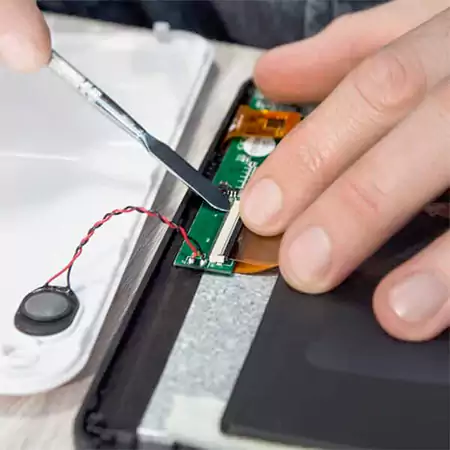
Now let’s take a look at some of the common phone speaker problems. This includes:
Low or No Sound
Typically caused by either an obstruction covering the speaker grill, the incorrect volume on your device or incorrect settings on your device. Alternatively, internal hardware problems prevent audio from being outputted, which makes it little to non-existent. In some cases, display-related hardware issues like pc screen lines can also indicate internal damage patterns.
Crackling, Static, or Buzzing Sound
A crackling, buzzing or static sound from a speaker usually indicates that some sort of internal damage, a broken, dislodged or loose component, is preventing the electrical signal from converting to an audible sound.
Speaker Not Working at All
An entire speaker that produces no sound is typically caused by severe damage to the speaker module itself or a broken internal cable.
What Causes Phone Speaker Damage?
Below is the table given for the most common causes that damage phone speakers. This includes:
| Cause | Description | Risk Level |
| Dust & lint buildup | Blocks sound output | Medium |
| Water exposure | Corrosion inside speaker | High |
| Drop damage | Dislodged or torn speaker | High |
| Software bugs | Audio routing issues | Low |
| Aging components | Natural wear | Medium |
How to Fix a Phone Speaker at Home?
There are some ways to fix a phone speaker at home and save yourself some money. Some common fixes include:
Basic Software Fixes
- Test Your Device: Before submitting your phone for speaker repair at an authorized service location, verify whether the issue can be easily fixed. Issues similar to how to fix a slow computer often start with basic troubleshooting.
- Rebooting your Phone: A quick restart will help eliminate temporary system glitches, by clearing any background processes and should fix minor bugs that are preventing sound output.
- Ensure that your Volume & Audio Settings are Correct: Be sure that the Media Volume is not muted or set to a lower level than expected, there are no other sound settings activated (silent mode/restrictions) causing sound to not work.
- Disconnect Bluetooth Devices: If you have a connected device (like headphones), audio may be redirected to it -disconnecting the device will ensure audio is coming from your phone versus a Bluetooth device.
Cleaning the Speaker Grill (Safely)
Cleaning your phone’s speaker is an excellent way to solve speaker problems that arise due to dust accumulation. You can use a soft, dry brush to remove dirt and lint from the speaker grille by brushing it carefully and gently so as not to push debris into the speaker. Many physical issues like spots on phone screen are also caused by dirt and debris buildup.
Do not use any sharp tools, such as a pin, as they can tear or damage the speaker grille. Also, avoid using liquids; they can bleed down through the internal components and cause corrosion, making a small problem into a larger repair problem.
DIY Fixes That Usually Don’t Work (Myth Busting)
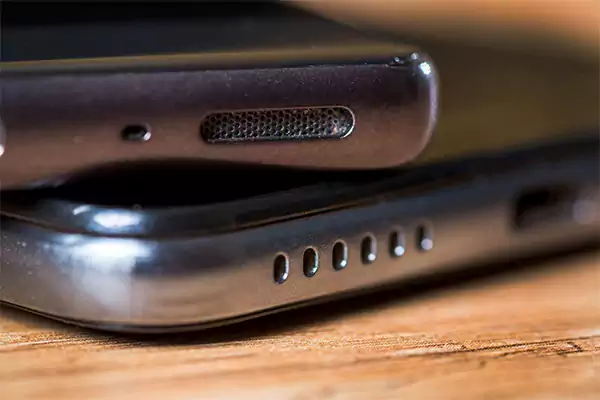
There are many misleading ways to repair speakers online, and these do more harm than good.
- Speaker blowing apps provide a temporary fix but lead to long-term problems like dust or broken parts.
- When you poke holes in your speakers, you could actually tear the mesh and cause debris to go further inside the speaker, which will lead to an even bigger problem.
- Heating or shaking your phone can cause damage to the inside of your phone. You should NEVER use either method to fix things inside your phone.
When Speaker Repair Requires Professional Help?
If simple fixes do not help, it may be time to take your device into a repair shop for an accurate diagnosis. You can consider professional services like phone repair solutions or brand-specific help such as Google Pixel repair or OnePlus repair.
- If you have tried resetting your device and there is still no audio output, it is probable that there is a hardware problem. Components may have been physically damaged and require professional repair.
- After water infestation, if audio output is distorted, this indicates an issue caused by corrosion that cannot be resolved besides manual disassembly of the device for cleaning.
- If audio output is missing during calls and media playback, there is likely an issue affecting multiple audio components in the device’s operating system.
Therefore, expert repair will be necessary to resolve audio output problems caused by the failure of the device’s audio equipment.
Speaker Repair vs Speaker Replacement
If you understand how to properly identify and fix problems, you will avoid spending unnecessary money and repair time. Most of the time, small problems can be resolved by simply cleaning the device or doing a minor repair.
On the other hand, devices that have sustained major damage, such as being exposed to water or having a damaged speaker. It will need to be completely replaced. To do this, it usually takes less time and money to clean than it does to replace, whereas cleaning takes less time and money to repair than it does to replace the device.
iPhone Speaker Repair & Replacement: Common iPhone Speaker Issues
Many people encounter speaker problems on their iPhones. These problems are often caused by the buildup of dust or heavy usage. In some cases, users also explore tools like iphone recovery software when broader device issues occur.
The top speaker is primarily used for calls, while the bottom speaker is used to play media like music, videos, etc., and is usually more prone to being damaged.
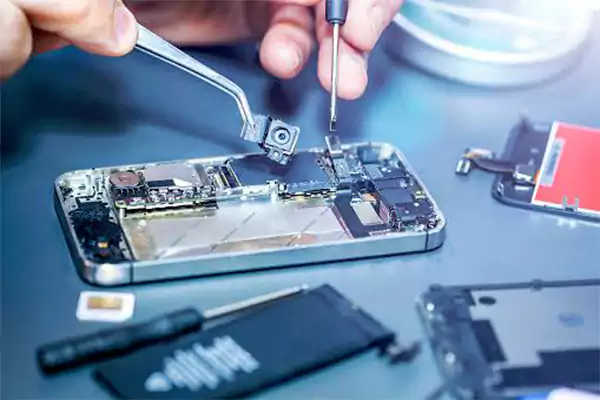
Replacing an iPhone speaker involves taking the phone apart thoroughly. This means taking the iPhone apart, removing the broken speaker, putting in a new speaker, and checking to make sure the new speaker works properly through sound checks.
How Much Does Phone Speaker Repair Cost?
You might wonder how much speaker repair costs. Let’s find out:
| Device Type | Estimated Cost Range |
| Android Phones | $10 – $50 |
| iPhones | $30 – $100 |
| Water-Damaged Speakers | $50-$150 |
Speaker Repair Shop vs DIY: What’s Safer?
DIY methods are cost-effective but risky. Professional repair ensures accurate diagnosis, similar to how experts handle complex systems like computer repair or data recovery services.
To do the repair yourself, DIY techniques are often more cost-effective than having the speaker repaired by a professional because there will be little or no repair costs associated with repairing the speaker yourself.
Repairing speakers yourself can be a risky endeavor due to the inability to accurately identify the true source of the problem. This can result in internal component damage, incorrect repairs and ultimately cost you much more in the long run than simply taking the speaker to a professional.
Finding a Speaker Repair Shop Near You
When looking for speaker repair shops, choosing the appropriate service will produce better quality results. You can also explore related services like tablet repair or iPad repair depending on your device.
- Look for certified technicians and strong customer reviews:
For reliable speaker repair shops, typically experienced technicians are available to handle your repair needs by viewing previous customer feedback, which will give you evidence that they will consistently provide good service.
- Ask about cost, repair type, and warranty before proceeding:
Before proceeding with repairs, inquire about the cost/repair type/warranty so you are not surprised by any additional charges later.
- Check turnaround time for faster service:
Not all speaker repairs take the same amount of time, but typically the most common types of speaker repairs can be completed the same day unless the repair requires parts to be ordered.
How Long Does Speaker Repair Take?
The amount of time it takes depends on the device and repair type. More complex repairs, like those in laptop repair or Mac repair, may take longer.
Usually, most repairs can be done same-day, however, there may be delays if parts have to be ordered or if the damage is complex.
Preventing Speaker Damage in the Future
Preventing issues with your phone’s speakers can save you from frequent repairs. Proper maintenance applies across devices, including consoles like PlayStation repair and Xbox repair.
- Be sure to take care of your phone so it won’t fall or be hit. Using a case will help protect the internal parts of your phone speaker if an accident does happen.
- Keep your phone protected from dust and moisture. Maintaining the cleanliness of your phone and avoiding using your phone around water will maintain your phone’s speakers’ sound quality.
- Avoid playing your phone at maximum volume for long periods of time. Too much volume will put stress on your phone’s speakers and reduce their life expectancy.
Conclusion: Is Speaker Repair Worth It?
Most common phone speaker problems are typically easy fixes and do not require spending large amounts of money. For broader device support, services like game console repair and Nintendo repair also follow similar repair principles.
Dust build-up or small glitches can often be quickly repaired, while larger problems with your phone speakers may need to be handled by an expert to repair them properly. In general, fixing your phone speaker will typically cost less and make more sense than purchasing a new phone.
FAQs
Q: How do you fix a speaker on a phone?
Q: Can phone speakers be repaired, or must they be replaced?
Ans: If there are only minor issues like dirt or software glitches, those can be repaired, but damaged or blown speakers require replacement.
Q: Is speaker repair expensive?
Ans: Speaker repair is usually affordable, ranging from low to moderate cost, but it depends on phone model, damage severity, and service centre pricing.
Q: Why does my phone speaker sound muffled?
Ans: This might be occurring because of dust buildup, water damage, blocked grills, low-quality audio files, or software issues affecting sound output.
Q: Can water-damaged speakers be fixed?
Ans: Water-damaged speakers can sometimes be fixed by drying thoroughly, but severe damage often reduces sound quality permanently and requires replacement.
Source:
What to Do When Your Phone Speaker Stops Working by Repair My Phone Today