Keep them in good places, maintain them properly, clean them, protect data, and update them on a regular basis.
How to Extend the Lifespan of Your Business Technology Devices

Updated On October 13, 2026
Business technologies are expensive to replace from time to time. Tablets, servers, projectors, computers, and other devices all require regular care if they are expected to last.
Following a few simple habits can help prevent damage, reduce wear, and keep gadgets in good condition for a longer time. Good maintenance also helps employees avoid delays caused by slow or broken gadgets.
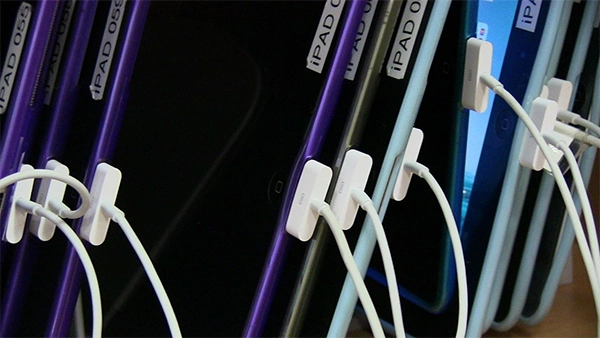
Table of Contents:
Keep Devices Clean and Well Maintained
Dust and dirt can build up around vents, fans, ports, and screens. Over time, this can impact airflow and cause devices to run hotter than normal.
Regular cleaning helps reduce this risk. Use the correct tools and cleaning products for each type of device.
It is also helpful to schedule basic maintenance checks. Staff can look for loose cables, damaged ports, weak batteries, or unusual noises.
Software should also be kept up to date. Updates can fix bugs, improve security, and help devices run more smoothly.
Small issues are usually easier and cheaper to fix when they are found early.
Create a Safe Environment for Equipment
The location of your devices can influence how long they last. Electronics should be kept away from heat, moisture, dust, and direct sunlight.
Good airflow is especially essential for computers and servers. Avoid blocking vents with papers, boxes, or other office items.
Temperature should stay within the range recommended by the manufacturer. Very hot rooms can place extra stress on batteries and other parts.
Companies that use shared tablets, laptops, or other mobile equipment may also benefit from secure device storage to help protect devices between uses.
Organized storage can reduce drops, misplaced equipment, and damage from poor handling.
Use Better Daily Operating Habits
The way employees use technology also affects device life. Simple habits can prevent unnecessary wear.
Devices should be carried carefully and kept away from food and drinks. Cables should be removed by the plug instead of pulling by the cord.
Charging habits matter too. Use approved chargers and follow the maker’s guidance for battery care.
Surge protectors can help reduce the chance of damage from sudden power changes. Essential equipment may also benefit from backup power during outages.
Employees should report issues quickly. A device that overheats, crashes often, or makes unusual sounds should be checked before the issue gets worse.
Clear rules make good device care easier for everyone.
Protect Data and Plan for Replacement
Even well-maintained equipment will eventually need to be replaced. Companies should prepare for this instead of waiting for a sudden failure.
Regular data backups are a crucial part of that plan. Store copies of important files in secure locations so they can be recovered if a device stops working.
Track the age, repair history, and performance of primary equipment. This can help managers decide when repairs still make sense and when replacement is the better option.
It can also make budgeting easier. Planned upgrades are often less disruptive than emergency purchases.
Keeping details of maintenance work can help identify repeated problems across certain devices.
Conclusion: Make Technology Care Part of Everyday Work
Extending the life of company technology does not need complicated steps.
Regular cleaning, safe storage, software updates, proper charging, and fast reporting of issues can all make a difference.
Protecting data and planning for future replacement are also crucial parts of good technology management.
When device care becomes part of normal daily operations, industries can reduce avoidable costs and keep their equipment more reliable for longer.
FAQs
How can I extend the life of my digital gadgets?
Can a laptop survive 20 years?
Yes, a laptop can physically survive 20 years, but it also depends on limiting its usefulness.
Why is physical cleanliness important for business hardware?
To extend the lifespan of business hardware, make sure to control dust, schedule cleaning, and follow workspace rules.