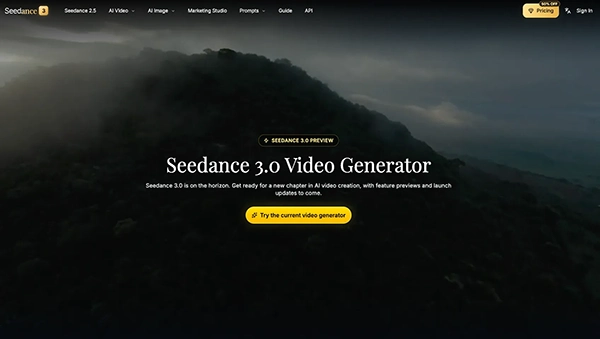
Seedance 3.0 is a video generation AI that can assist in generating video scenes from text prompts and references for use in creative works, marketing, and storytelling.
From a Dark Screen to a Clear Story: A Repair-Shop Video Concept with Seedance 3.0

Updated On November 18, 2026
A client giving a phone that needs to be repaired would like to know how things will go on from there, although this may not be an easy thing to do by use of words only.
A brief and appropriately crafted video would simplify the whole process by showing the journey of a device starting from collection through intake up to its return to the rightful owner. AI video technology would give one a chance to look into the story without going all out into production.
Using Seedance 3.0, a repair business could develop simple scenes, maintain consistent visuals, and create a clear service narrative without presenting fictional repair work as a real result.
Table of Contents:
Give the device a consistent identity
I would begin with a reference photograph of a generic phone that I own or have permission to depict. Its case would have a muted color, a plain camera arrangement, and no visible personal information. A second photograph would show the collection box, and a third would establish the counter. These sources would serve to define the objects as opposed to having each shot come up with its own.
The phone would remain switched off in the opening concept. A dark screen avoids fabricated notifications and gives the lighting a clean surface to work with. I would make the case color distinctive enough to recognize when the phone returns later. If the first shot shows a blue case and the last shows a silver handset, the service journey loses its thread even if both shots look attractive.
My first idea for Seedance 3.0 would be to have a tight shot of the phone next to the box, lighting from the right, and a slow pan from side to side. I would keep the motion small so the box stays in frame. The viewer should understand that the two objects belong together. A dramatic rotation around the phone would make the shot resemble a product launch instead of a service introduction.
Use the box as a transition
The next scene would show the phone already resting inside the box. I would choose a cut between these two states rather than generating a complicated hand placement. That gives the story a clear progression while keeping the device shape stable. The paper insert could fit under the phone, but specific directions would be added later in the form of graphics.
A practical shot brief would describe the open box on the same desk, the phone centered inside, and the lid remaining outside the frame. I would avoid requesting a full packing procedure in one clip. Too many actions can make it harder to identify which part of the output needs revision. The film only needs to communicate that the device has been prepared for the next stage.
In case of a change of camera configuration or addition of another phone for Seedance 3.0, I would simplify the task and focus on one device. I would also choose the reference with the clearest outline rather than the prettiest reflection. For this video, continuity is more important than a glossy finish. The customer needs to follow one object through the service journey.
Show the intake, not an invented repair
The central scene would transition into an intake counter that is neat. The same box appears beside a blank work mat and an empty document holder. I would use the setting to suggest an organized handover, without showing private customer records or a fictional diagnostic result. A real business could later provide approved labels for the editor to add.
I would not include a screwdriver entering a phone, a battery being pierced, or a sequence of invented internal components. Apart from being unnecessary to the story, generated repair actions could be mistaken for instructions. The visual concept is about how a device moves through a service, while any actual repair demonstration should use appropriate real footage and qualified technical review.
Seedance 3.0 would therefore receive a quieter request for this shot: hold the camera near counter height, keep the box visible, and let a soft reflection move across the phone’s dark screen. The change in setting tells us that the device has arrived. The tight shot can also leave room for a caption like the approved description of the intake process.
Make the return feel connected
For the return scene, I would revisit the original desk. The phone sits beside the closed box, with the same window light and case color as before. It does not require a flare of light or any kind of screen animation to illustrate it. A calm return to the familiar composition is enough to make the sequence feel complete.
If the business wants to show a working screen, I would use an approved generic screen graphic in the final edit rather than inventing a successful repair result. This keeps the concept adaptable to different services and avoids claiming that a particular fault has been fixed. The exact service description should come from the business, not from a generated image.
The very last Seedance 3.0 shot in my office would leave open space over the desk for the business’s name and contact details. I would review the image on a small display before choosing that area. Reflections that look elegant on a large monitor can make lettering difficult to read on a phone. Moving the caption or reducing the reflection would be a more useful revision than adding another transition.
Sound and pacing should explain the sequence
I imagine three gentle sounds: quiet room ambience at the desk, the soft contact of a box on a counter, and the return of the original room tone. That structure would reinforce the change of location. I would avoid electronic warning sounds because they might imply a diagnosis that the video has not established. Any music would remain low and unobtrusive.
When reviewing a Seedance 3.0 audiovisual draft, I would listen to the timing of the box hitting and make sure there is no unexpected speaking. If the sound is distracting, I would revise the audio direction or build the final sound bed in a separate editor. A short service explainer needs clarity more than a dense soundtrack.
Before producing several versions, I would write down the necessary shots and decide which ones genuinely need movement. A still reference may be sufficient for an information card, while the opening and return benefit from a little camera motion. This keeps the production focused on a usable video rather than a collection of impressive but disconnected clips.
The final concept would have a recognizable gadget being moved from a desk to an intake counter and back to where it belongs. I would export versions composed for the intended screens, checking every caption at its final size. By keeping the visual journey concrete and the service claims supplied by the business, the video could explain a repair process without pretending to be proof of work that never happened.
FAQs
What can Seedance 3.0 be used for?
Why are reference images necessary when generating AI videos?
Because reference images allow you to keep consistency in characteristics such as color, shape, and appearance of the phone.
Is it necessary to include an actual process of repair in an AI-generated repair video?
No, it is not always necessary. A service explainer video may concentrate on customer experience. A demonstration of the actual repair process must include correct footage and be checked by specialists.
What to check before publishing an AI-generated repair-shop video?
You have to check the following elements: object consistency, scene transitions, sound, captions, and services. Also, make sure that the repair was not done in reality but was just visualized.