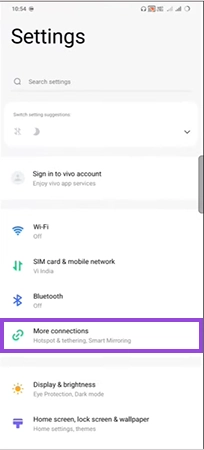
After deleting a Gmail account, you will lose all the emails, attachments, folders, and conversations on Google Chat; however, you won’t lose your complete data unless you delete your Google Account.
How to Delete a Gmail Account: The Complete Step-by-Step Guide

Updated On September 24, 2026
Tired of unwanted emails or storage-full messages and want to learn how to delete a Gmail account? Then don’t worry; we got you covered.
As deleting crucial data from a smartphone or a PC is a bit tricky and most people get confused between removing a Gmail account and a Google account, this blog post by Devicefixes covers both methods with complete simplicity to bring absolute clarity to the process for you. Without wasting any more time, let’s dig right in.
Table of Contents:
Before You Delete: Crucial Preparation Steps
Before you learn how to delete Gmail in a single click, make sure you should follow these vital steps, which are necessary to keep your data reserves intact and won’t let you lose your online identity.
- First, download all your important data assets, like emails, PDFs, passwords, images, videos, document sheets, etc., and save them in separate folders or on hard drives.
- Change all the login info and authentication codes used by the account and add new credential information on various applications.
- Set up a new email address where all your emails will be redirected when your previous account is deleted.
- Save your contacts on different email IDs.
How to Delete Only Your Gmail Account (Keep Google Account)
First, we are going to explore steps for only deleting your Gmail account and keeping the rest of the Google account, which includes services like Photos, Contacts, Docs, Sheets, etc., intact. Follow the methods in precise order to avoid silly mistakes and safely unregister Gmail account.
Open Google and click on your profile.
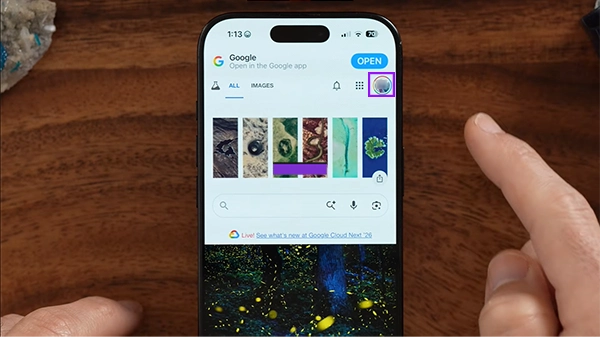
Tap on Manage my Google Account.
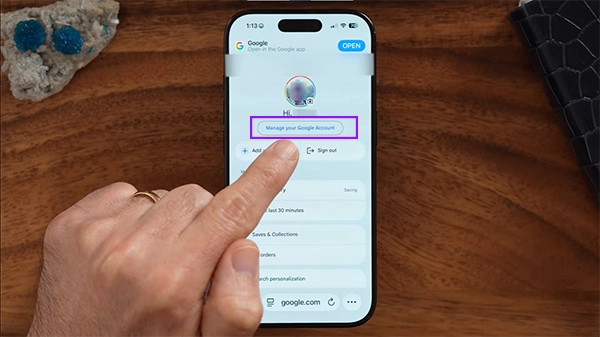
Tap on Data and Privacy
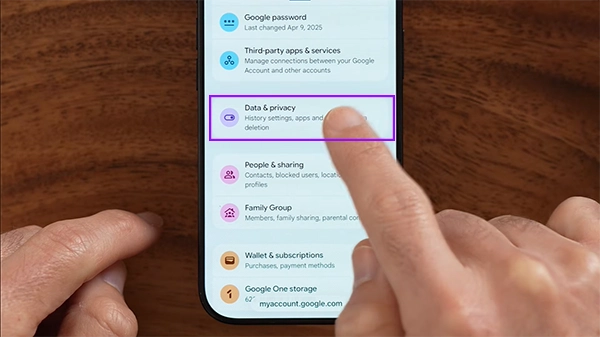
Scroll down and tap on Google Dashboard
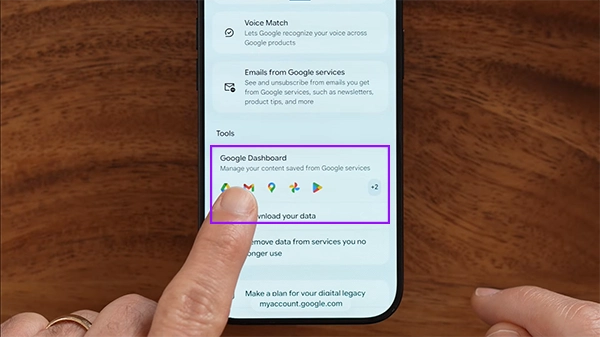
Tap on Delete a service.
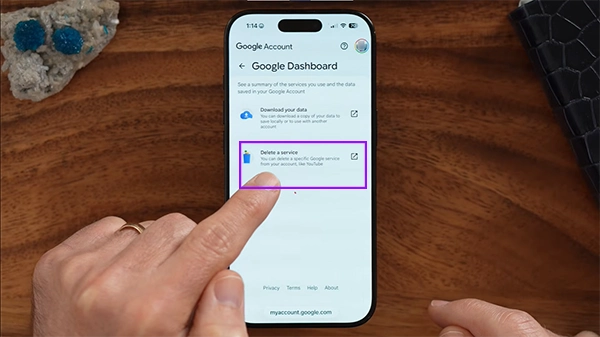
Tap on the Dustbin button beside the Gmail option.
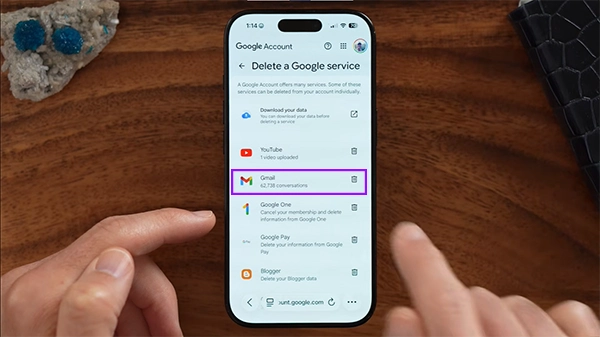
After that, your Gmail account with all the mail data will be deleted.
Read more: Why is Apple Moving iPhone Production to India in 2025?
How to Delete Your Entire Google Account (Permanently)
If you want to delete your Google account completely along with all the services, contact details, etc., then follow the steps below in the correct order for the best results.
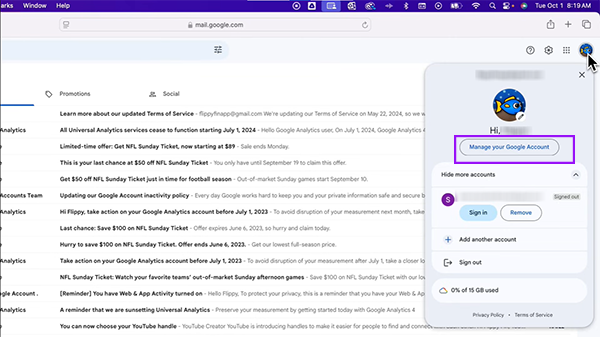
Open Gmail and click on your profile icon:
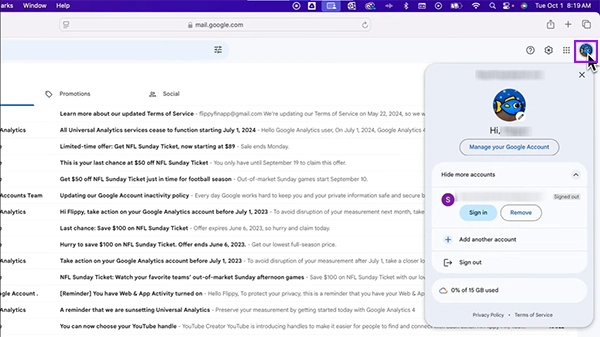
Click on Manage your Google account
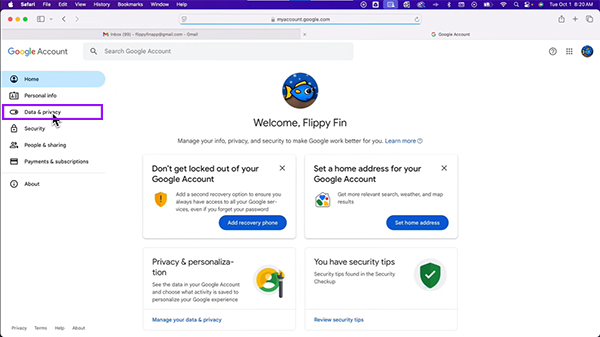
Click on Data and Privacy.
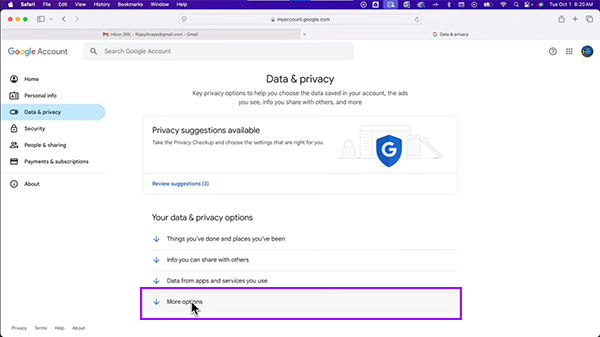
Click on More options.
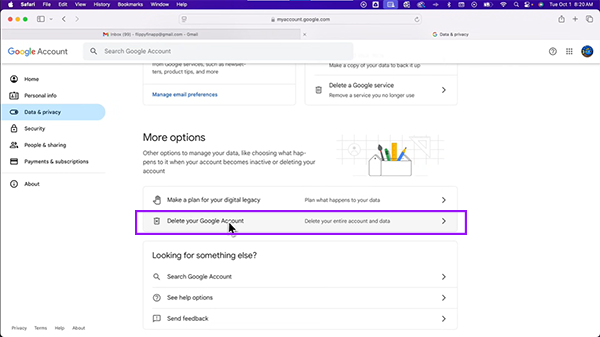
Click on Delete your Google Account.
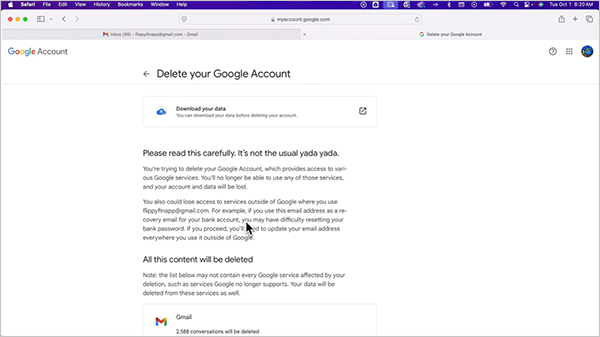
Read this crucial information about account deletion before permanently removing your account.
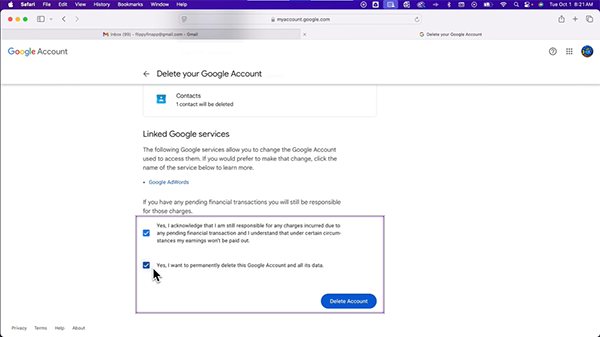
Then grant permission to delete your Google account by ticking these boxes.
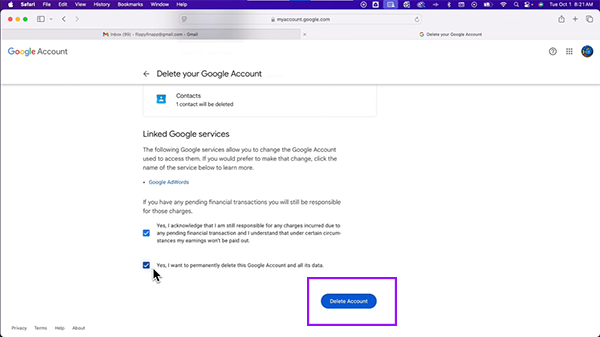
Click on Delete Account.
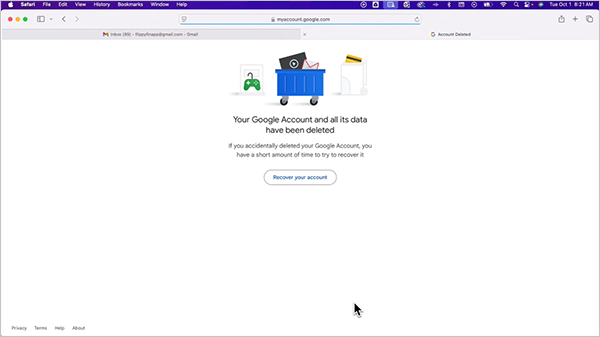
After this, your account will be permanently deleted with all services.
Read more: iPhone vs Samsung: Which Smartphone Is Better for You?
What Happens After Deletion?
After deleting your Gmail account, you will notice so many changes on both your primary and secondary devices that are hard to ignore. Here we are going to uncover them one by one:
- Complete Data Loss: Whenever you delete a Gmail account, you will lose all your data backup assets in a glimpse, and you can never recover it again. That is why we always recommend backing up all vital data before deleting the account.
- Failed Mail Deliveries: Once your email is deleted from Google’s servers, you no longer receive mail or can reply, and the sender will see a “User Account Deleted” icon. To receive emails, you need to set up email forwarding and an auto-reply option.
- Username Locking: Once you delete gmail that has your unique username, it can’t be used by anyone else, not even you again. You have to create a new ID with a few tweaks in your username if you want to retain your identity.
Important Notes to Follow
- If you delete your Gmail account, then you will get the revival period in which you can regain access within 7 days.
- After that short period passes, the data and address are gone forever and cannot be brought back.
- There is a high chance that some apps or social media IDs are logged in with your deleted Gmail account, so you can also access your regular apps or you can simply change the credentials using a different Gmail ID.
Conclusion
These are some important methods that tell you how to delete a Gmail account
using accurate steps. Remember, removing a Gmail ID and a Google account are both different things and require separate steps, so before starting the process, clear all your doubts.
Once the ID is deleted, you will have a window to regain access within 30 days, but after that, things will be permanently deleted and can never be recovered.
We advise that before starting the deletion process, you make sure to store everything in a separate Google account or on physical drives. Perform each step carefully to avoid serious repercussions, and follow DeviceFixes for more such content.
FAQs
Will I lose everything if I delete my Gmail account?
Can someone still see an email after you delete it?
Yes, the sender can see your email even after you delete it, but they won’t be able to send messages.
Can a deleted Gmail account be used again?
No, once a Gmail account is deleted, it can never be used by any individual or the previous name holder. Many people write similar names with a hyphen or comma to retain their identity when they accidentally lose access to their Gmail.
How long after deleting a Gmail account can you recover it?
After deleting a Gmail account, you can recover it within 2-4 weeks (30 days), and when this period ends, all the data that you have removed can never be brought back.
Is it a good idea to delete your Google Account?
Yes, it is a good idea to delete your Google account if you are getting frustrated with too many emails, have extra data that is not that important, or want to reduce your daily levels of digital footprints on multiple sites.