Most people in several locations still struggle with bad or poor connectivity. Upgrading your sites results in more attention and visibility in downloading information more efficiently.
Why Regional Touring Artists Need a Website That Loads on Patchy Mobile Data

Updated On November 28, 2026
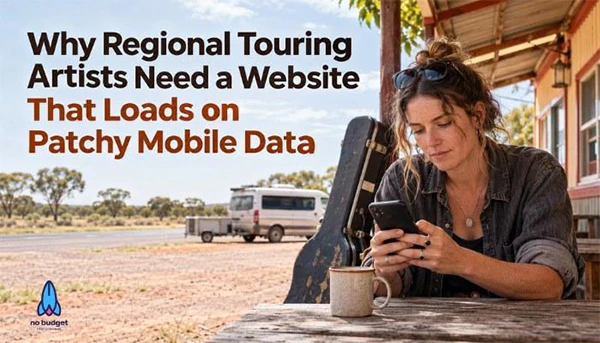
The following gig is listed before bookings for an artist are lost. The problem is poor site performance. This is mainly when creating an artist’s website on a No budget performance.
Australian artists’ websites must be optimised for low networks in most areas. Large images with impulse video formats containing scripts or web fonts result in poor performance.
Most of them notice an artist’s website from roadways along some parking stations around gig areas. All over the country town disclosing not to find ticketing information.
What can artists do? This guide shows you and explores details.
Table of Contents:
- Why Do Artist Websites Struggle on Patchy Mobile Data in Australia?
- Ready to Build a Website Your Regional Fans Can Open?
- Page Weight Comparison: What Each Web Design Choice Costs on a Weak Regional Connection
- How Fast-Loading Pages Support Your Business Between Tours
- Ready to Build a Website Your Regional Business Can Rely On?
- Frequently Asked Questions
Why Do Artist Websites Struggle on Patchy Mobile Data in Australia?

In regional Australia, patchy mobile data makes it hard to load artist websites with big images, videos and scripts. On one bar of signal, these files take an extended time to load, and the browser may struggle to show gig dates or other content.
If you’ve ever opened a gig page at a motel while your signal flicks between one bar and nothing, you know the feeling. The screen stays white as the signal drops, and you have to wait for the page to load again.
The website’s design creates an issue. Many artist themes are created for desktop screens, and even a responsive website can download bulky files on a phone. They stack a full-width slideshow, an autoplay showreel, social feeds and multiple font families onto one home page. Each item adds another download, which places additional strain on a low mobile connection.
For a fan travelling an hour into town, that hold could mean skipping your Saturday show. They can close the tab and choose an event whose details load shortly. A mobile-friendly website for musicians helps keep those fans on your page long enough to match your dates and book.
Ready to Build a Website Your Regional Fans Can Open?
On a weak mobile connection, large photos, videos and additional website features can delay the gig dates and booking button. To avoid this, begin to decrease the files your website requires to load.
Shrink Your Hero Image and Gallery Before Anything Else
Your hero image is the extensive photo at the top of your home page, and it’s often the heaviest file. For a faster-performing artist website, export the image at around 1600 pixels wide and save it as WebP. This design keeps photos clear while downsizing their file size.
Your gallery photos need attention too. Turn on lazy loading so they only download when someone scrolls near them. WordPress already does this for most pictures, but it’s worth reviewing that your piece hasn’t changed it off.
Keep Video Off the Page and Link Out to It Instead
An embedded YouTube player loads extra scripts when the page opens, even when nobody plays. On a weak regional connection, these files may hinder your gig dates and booking button (yes, even that celebration drone footage you adore).
Instead, use a still image from the video and attach it to YouTube in a new tab. The simple solution is to speed up artists’ sites by minimising downloadable files. Fans who want the showreel can tap through, while everyone else can match your gig list sooner.
Drop the Plugins and Fancy Fonts You Never Needed
Beyond video, too many plugins and font files can slow down your website by adding extra files to load. At No Budget Performance, we generally begin to remove unused sliders, pop-ups and social feeds when customising WordPress articles for performance artists.
As for fonts, stick to one family with two weights, standard and bold, to keep file sizes small. It’s also worth checking your plugin list and removing anything you no longer operate.
To find the heaviest offenders, open Chrome’s Network tab, reload the website, and sort by size. Any plugin script or font file above 100 KB that you cannot tie to a feature fans actually use is worth removing.
Put Dates, Venue and the Booking Button at the Top of Your Digital Stage
Text is less data than images, so gig details belong above the visuals on screen. That way, a fan with one bar signal can display the date, town and venue even while the hero image is still loading.
Across our artist and theatre sites, we situate the reservation setting beside the next date so fans can book instantly. Keep the button as plain text on a solid brand colour. A button made from an image vanishes whenever that image stalls.
Test It on a Throttled Connection Before You Launch
Chrome’s designer tools let you examine how your website reacts on a slow connection. Australia’s 3G networks closed between late 2023 and October 2024, but the Network tab’s 3G throttling preset still imitates a single bar of regional 4G. Switch it on, hit your home page, and review how long your main photo or headline takes to emerge.
The time your enormous visual image or text block takes to load is called Largest Contentful Paint (LCP). Google’s Largest Contentful Paint guidance, corrected on web.dev in 2025, suggests 2.5 seconds or less for a reasonable user experience.
For a real-world test, try the same page on your phone somewhere the signal is weak (the last servo before the highway works nicely). See what takes the longest to load and fix it first.
Page Weight Comparison: What Each Web Design Choice Costs on a Weak Regional Connection
Images account for a large share of the data a fan’s phone downloads when your home page opens. According to the HTTP Archive 2025 Web Almanac, the median mobile home page used 911 KB of images. Inner pages used just 354 KB.
To determine where to trim first, consider what each design choice below asks of a poor link.
| Design Element | What it Loads | What Happens on One Bar of Signal | What To Do |
| Unoptimised full-width hero photo | One large image file | The top of the screen remains blank while it downloads | Export at 1600 pixels wide in WebP |
| Photo gallery on the home page | Many photos at once | Dates and buttons sit below rows of loading boxes | Give the gallery its own page and lazy-load it |
| Embedded video player | Player scripts plus a preview image | Everything below it waits, even if nobody pushes play | Swap it for a linked still image |
| Sliders, pop-ups and feed plugins | Extra scripts and styles for each plugin | The page jumps and stalls as each one arrives | Remove any plugin you can’t explain |
| Reservation info, venue and booking button | Compact text and code | Shows first, even on one bar | Place it at the top of the page |
Start with the gallery if your home page has dozens of photos. Fans can still browse the full gallery when they want, while those reviewing gig dates won’t need to load all those pictures.
How Fast-Loading Pages Support Your Business Between Tours
During ongoing tours. Fans who saw you on Saturday night can access your site on Sunday morning. They want the next gig date, a merch link or a way to book you for a local event.
Regional venue managers and festival committees also check your site before sending an enquiry. If the page takes too long to load, they will leave before finding your contact details. A fast site helps your online presence be accessible between tours.
On top of that, page speed for artist sites affects how easily locals find you in the first place. Google uses loading speed as a ranking signal in mobile search, so a lighter site has a better shot at appearing. When someone searches for live music in their town, that visibility can bring in another enquiry.
Those enquiries often start in moments like these:
- A Fan Sharing Your Gig Link: Someone posts your website in a local Facebook group, giving your digital presence a wider reach. Other fans may open it on weak mobile data, where large images take longer to load. So, keep the preview image small to reduce the data needed.
- A Pub Manager Checking Your Past Venues: Before booking an act, a pub manager may want to see where you’ve performed. However, a long photo gallery makes those details harder to find. List your previous venues in plain text near your bio instead.
- A Festival Committee Comparing Acts: Committee members often have several artists to review. User-friendly websites make it easier for them to find a short bio before watching a video. Place yours near the top of the page, with a link to your showreel.
- A Parent Booking a School Holiday Show: They’re in a car park, checking tickets on their phone. With a weak signal, reaching the booking page takes much longer. Place ticket details and the booking button side by side so they can finish in one scroll.
- A Mate Forwarding Your Page: Your gig link reaches someone in the next town. For touring musician web design, upcoming dates should be easy to find when someone wants to see you play nearby. Show upcoming dates first, with the town and venue beside each one.
Each visitor has a different reason for opening your site, but they all need quick access to the right information. Keep those details easy to find, even when the mobile signal is weak.
Ready to Build a Website Your Regional Business Can Rely On?
Start with smaller WebP images, linked videos and fewer plugins. Keep your gig dates and booking button near the top, then test your site with Chrome’s 3G throttling setting. Together, these changes allow fans to find what they need before your next tour.
If your site still struggles on weak connections, No Budget Performance presents budget-friendly website design for performance artists, theatre makers and touring acts. Send us a message through our contact form. Our team will help you build a website for performers that regional fans can open and use.
Frequently Asked Questions
Why is mobile data usage still important?
What should be loaded on an artist site?
An artist’s name, event details, places or dates usually come first. Functions of ticketing and media are enforced after words.
How big should an artist’s site be?
No definite number of bytes; particular performance criteria are preferred. Optimise images and strip out unknown code. Check how fast your site loads on multiple devices.