Stop Your PS5 From Overheating: Cooling Tips & Fixes

Imagine you are playing your favourite game on your PS5, and as soon as you are about to reach the next level, your screen goes black, and you see the message ‘your PS5 is too hot’ on the screen. PlayStations are created in such a way that they keep themselves cool and expel any heat that is generated by intense usage. However, there are still chances that your console will overheat and sustain long-lasting damage, especially when you are playing games that are more graphically demanding.
So, if you are thinking about why does my ps5 keep overheating, then this article will explore all the common reasons and the methods that you can use to resolve the issue. We will also explore why using a heatsink SSD can assist you in keeping your system cool while running.
Main reasons why your PlayStation 5 consoles run hot
As the situation is with any high-performance game console, the PS5 also generates a significant amount of heat when it is running modern games. The internal cooling system is designed in such a way to manage this situation; however, factors such as poor airflow, dust buildup, high room temperatures, or improperly installed components can result in heat buildup faster than the console can cool down.
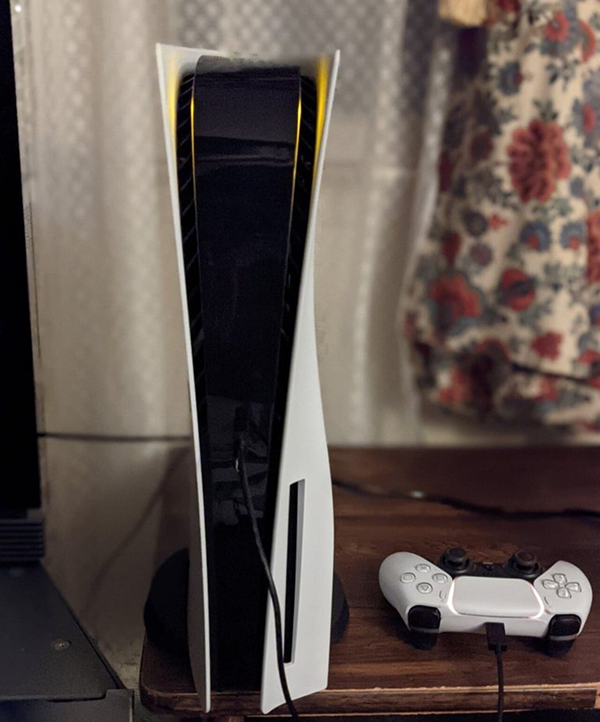
Main signs that your PS5 is overheating
If you wish to know why is my ps5 overheating, there are certain signs that tell you when your PS5 is getting too hot, before it results in long-lasting damage that needs PlayStation repair.
- The internal fan will easily tell you if the console is getting too hot, as you will hear the fans making loud and unusual noise.
- Performance issues can also be an indication of overheating, as you can encounter issues like sudden game crashes and graphical glitches.
- If you come across the dreaded message: “Your PS5 is too hot. Turn off your PS5, and wait until the temperature goes down”, then this is the biggest sign that the console is overheating.
- The PlayStation 5 also has built-in thermal protection, which means that it can automatically shut itself down if the temperature gets too high to prevent hardware damage.
Effective Tips to Improve PS5 Cooling & Prevent Heat Build-up
If you have noticed some signs of PS5 overheating, there is a silver lining in that most of these cases of overheating are easy to solve. There are several changes you can make to your current arrangement, and you will get better airflow to cool down your PS5 and play for hours without any trouble.
Select the proper surface and environment
One thing that plays an important role in determining the temperature of your PS5 is the surface on which it stands. Surfaces covered with fabric like carpets or rugs may trap dirt and dust in the air vents of your PlayStation. In order to keep your PS5 cool, you should place it on a hard surface using the PS5 stand provided in the box.
In general, the environment in which your PS5 is stored is of significant importance since it affects the temperature of your console. It should be stored in a properly ventilated room. You shouldn’t place it in cupboards or small spaces that are not properly ventilated. You need to make sure that all the air vents are clear of any obstructions, so try to keep the console at least 10 cm away from walls.
Clean your PS5 regularly
It is very common for dust to build up over time in the PlayStation 5 vents, which is why we recommend cleaning your console. This is probably the most common PS5 overheating fix that does wonders for people. There are specific ports on your console where you can lightly vacuum out the collected dust. By regularly cleaning your PS5, you can maintain proper airflow through the console, which results in stable temperature regulation during extended gaming sessions.
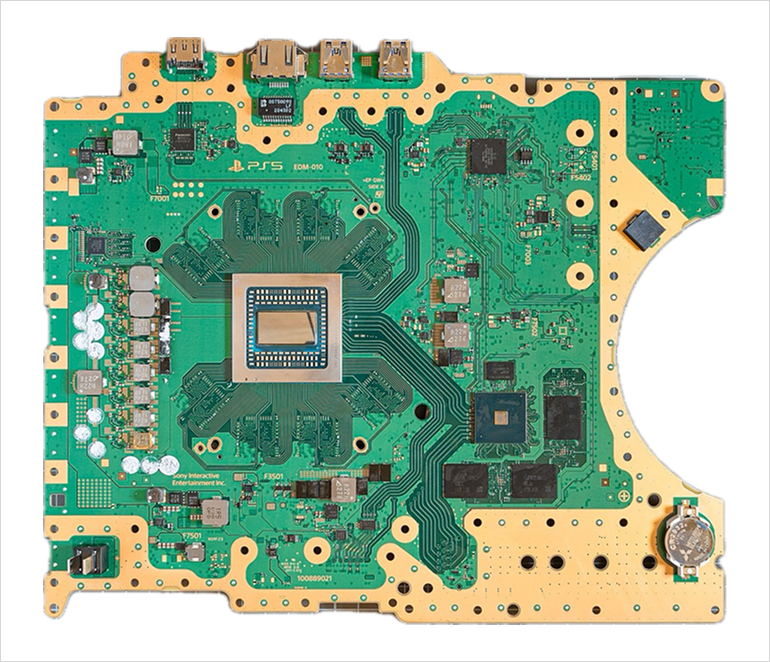
Reduce the heat levels of your SSD using heatsinks
The M.2 NVMe SSD that you add to the expansion slot of your PS5 will produce heat when in operation. Therefore, buying an SSD that already has a heatsink, or adding one to your drive, ensures that your drive operates cooler. Although this won’t act as the primary means of cooling, having an SSD heatsink ensures the best performance during long gaming sessions.
Understanding PlayStation 5 and Heatsink SSDs
The PlayStation 5 also supports high-speed PCIe Gen 4 NVMe M.2 SSDs for internal storage expansion, which means that players have more room for modern, storage-heavy games. These drives can generate a significant amount of heat, especially inside the console’s M.2 expansion bay of the device, where airflow is naturally limited. As a result of this, heat management becomes an essential part of keeping your upgraded storage running reliably.
A PS5 heatsink assists in addressing this challenge, ensuring that an SSD installed inside the PS5 can maintain consistent performance even under load.
What is a heatsink SSD, and why is it important for the PS5?
Heatsinks PS5 are a cooling system that you attach to your SSD for the purpose of ensuring that heat does not build up in your device as it operates. These devices are made up of materials that can easily disperse heat in a more efficient manner than the drives themselves.
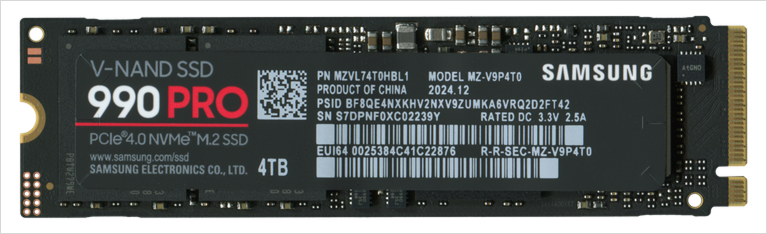
In your PS5, the inclusion of heatsinks will play a major role due to the fact that the M.2 slot has limited ventilation. When SSDs operate at low temperatures, they can perform as required.
Do all SSDs require a heatsink?
It is not necessary for all SSDs to have a heatsink attached to them. SATA or 2.5-inch SSDs are normally cooler, which enables them to operate effectively without any additional thermal component. In the case of modern M.2 NVMe drives, especially the faster ones, more heat is generated due to high amounts of data processing.
Having a heatsink on such SSDs allows keeping them at an optimal temperature and avoiding the problem of overheating and throttling. Even though an SSD is able to operate without a heatsink, people who desire maximum efficiency usually prefer to get drives with a built-in heatsink.
Does PS5 need a heatsink for SSD upgrades?
While upgrading the PS5 with an M.2 SSD, Sony recommends using drives with a built-in heatsink or adding one to your SSD yourself. Due to the fact that the expansion slot of PS5 has low airflow, a heatsink will help keep the SSD at safe temperatures.
Sony uses the same M.2 SSD requirements across all PS5 models, which includes PS5 Slim (Disc and Digital) as well as the PS5 Pro. They all use the same internal M.2 expansion slot and cooling guidelines. Additionally, the installation process of an NVMe SSD in the PS5 is also the same across all models of the gaming console.
Keep your PS5 cool and install with confidence
Keeping your PlayStation 5 cool is all about good airflow, proper placement, and regular maintenance. Once you install an internal SSD with a heatsink in your PS5 console, you can use the additional storage for games, applications, and other material without worrying about the device overheating.
By investing in a PS5-compatible SSD, along with a heatsink, and by adhering to your cooling tips, you will be able to focus on smoother performance and appreciate your gaming library with confidence.