Ans: To immediately get water out of your phone, power it off right away and use high-frequency sound tools to push liquid out of the speakers.
How to Get Water Out of Phone? Effective Ways and When to Visit Professional Services

Updated On November 3, 2026
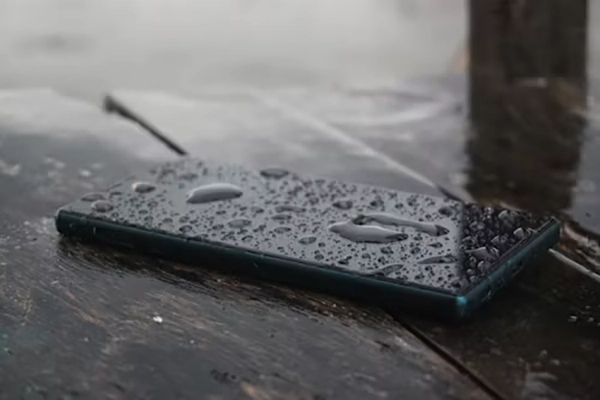
Ever jumped into a swimming pool with a phone in your pocket and then instantly regretted your decision because you see your device slowly closing or not working properly?
Well, this is a classic case of water damage, and such scenarios can cause serious damage to your device and make it unusable. So instead of getting frustrated, learn how to get water out of phone using five effective methods mentioned in this DeviceFixes guide.
Quick Answer: To easily remove water and moisture from your phone, you can use simple practices like powering it off, using silica gel packs, keeping it away from charging cables, and using water-ejecting software.
Table of Contents:
How to Get Water Out of Phone? 5 Important Methods
Dealing with major water splashes is a bit complicated and requires quick action to stop water and moisture from reaching the integral circuit entries, so before everything, arrange a dry towel, wrap your phone in it, and let it soak all the excess drops. After that, follow these steps to prevent your device from internal damage or complete failure.
Power Off and Disassemble
First of all, power off your device right away to prevent short circuits inside your device. If your phone keeps running in a wet state, then it is likely prone to severe breakdowns. Also, keep your device away from charging cables, and unplug them immediately if the water affects them too.
Use Water-Eject Sound/Vibration Tools
Now, wipe your screen and start downloading a water-ejecting or high-vibration tool like WaterEject with the volume turned all the way up and the speaker facing down. This will help to extract all water droplets and moisture present in the internal components.
Gravity-Attracting Positions
Place your phone in the right position to help drain the water off. Switch your device off straight away and hold it vertically with the charging port pointing downward.
Gently knock the device on the palm of your hand so that the droplets of water trapped in the port or speakers are loosened. Rest the device on a flat surface at a slight angle so the water can drain out.
Buy Silica Gel Packs
Silica gel packs are more effective at absorbing moisture than typical household solutions such as uncooked rice. Most probably, you will find a few silica gel packs in the shoebox or the packaging that came with your cell phone. They deeply contract small parts without making a dusty mess. For best results, keep your cell phone in a sealed bag or plastic container with a few fresh silica gel packs.
Air Drying in a Ventilated Area
Air drying your device is one of the safest and easiest methods, as long as you are not putting extreme air pressure inside the device. Lay your device in an open room with airflow (a window or electric fan). Gentle air circulation will slowly help to evaporate liquid from the surface and draw moisture out of cracks.
Why Is Taking Water Out of the Phone Important?
In situations where your device is plunged into water accidentally, taking out all the excess drops and moisture becomes very important for many reasons related to a mobile’s longevity. Here we are going to discuss all of them. Read carefully.
- Prevention of short-circuiting and failures.
- Even if your phone turns on after getting wet, trapped moisture reacts with metal parts over time to form rust and corrosion.
- Most lithium-ion batteries are sensitive to water damage, so if moisture enters the battery compartment, it can cause swelling, severe loss of charging capacity, or permanent battery failure, creating a potential safety hazard.
- Moisture easily lodges inside small speaker grills and microphone ports. If left untreated, liquid muffles sound output and damages speaker membranes.
What To Do If Getting Water Out of Your Phone Doesn’t Work?
After completing all of these steps, if your device is still unresponsive or you have an assumption that water might have reached internal components like the motherboard or camera, then it’s high time to contact professional services.
Today, expert workers and renowned local companies have access to tools like ultrasonic cleaning baths and small heating pads that are used to gradually open up the device and wash off corrosive buildup.
Do not continually attempt to charge up or power on the failed wet phone, as applying electric current to a wet device causes additional short circuits. Stay calm and try to find the best mobile phone repair service nearby.
Read more: What is Data Roaming? A Complete Guide to Understanding Roaming and Data Roaming
Conclusion
To end on a good note, an effective response is critical if your phone has been exposed to water: Switch your device off as soon as possible, avoid powering it on, and remove all sources of surface moisture.
Then dry your device with a gentle stream of air, or use the speaker blasts on your device, which pump out high-pressure bursts of air that can eject liquid. Don’t make the classic mistake of leaving your device in rice or a cable to prevent more short circuits on your logic board. Stay calm, dry it out, and if in doubt, see a technician.
FAQs
1. How to immediately get water out of the phone?
2. What is the fastest way to dry out a wet phone?
Ans: The fastest way to dry out a wet phone is to immediately power it off, extract surface water with a vacuum cleaner suction method, and place it in a well-ventilated area or an airtight container with silica gel packets.
3. How long does it take for a phone to fully dry out?
Ans: A phone takes 24 to 48 hours to fully dry out after water exposure, though deep internal moisture can sometimes persist for days.