The following are the features that help the most:
- Glove-compatible input
- Wet touch support
- Stylus compatibility
- Adjustable sensitivity

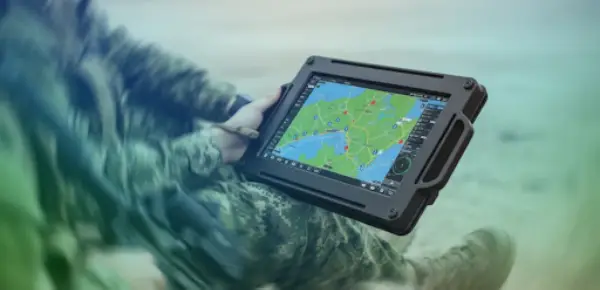
Regular displays are not built for all workplaces. A screen that fulfills all purposes in an office-like environment may not entirely align with a workplace that deals in construction, mining, or military operations.
Harsh workplaces expose equipment to vibration, dust, moisture, accidental impacts, temperature changes, and much more. When a display fails, the problems only spread further, proceeding to disrupt workflows, stop data entry, and reduce safety visibility.
Let’s take a look at why rugged displays are essential for tough environments and how these systems are designed to keep visual information available in conditions where regular equipment would not last.
A harsh workplace does not give equipment perfect conditions. Screens may be used on vehicles, exposed to dust flows, used with gloves, cleaned often, or operated near machinery that consistently produces vibration.
Industrial teams utilize rugged displays when they require screens that are able to handle demanding environments without needing replacement or downtime every few days.
The key difference lies in the design. Rugged units often use reinforced housings, sealed components, stronger glass, wide temperature components, shock mounts, and connectors specially built for secure operations
The goal is simple.
The screen must stay readable and functional when the job gets rough.
Dust and moisture are the most common causes of widespread equipment failure. Fine particles tend to make their way through vents, damage internal parts, interfere with buttons, and reduce cooling performance.
Water exposure creates even greater risk.
This may come from rain, washdowns, humidity, marine spray, condensation, or spills.
Rugged displays are usually rated for ingress protection. Such ratings help identify how well the enclosure resists solids and liquids.
Workplaces should review exposure to:
A display should match the environment.
Buying a screen without checking these conditions can lead to early failure.
A display is only useful if the workers can understand what it actually shows. Harsh workplaces often have poor lighting conditions, direct sunlight, reflections, glare, smoke, shadows, and more.
Rugged displays include high-brightness panels, anti-glare coatings, and wide viewing angles.
These features improve visibility when operators need fast access to data.
In field service, logistics, manufacturing, and defense settings, poor visibility can slow down decisions.
It can also increase mistakes.
If a worker cannot clearly identify a measurement, route, warning, or control screen, the equipment is clearly failing at its job.
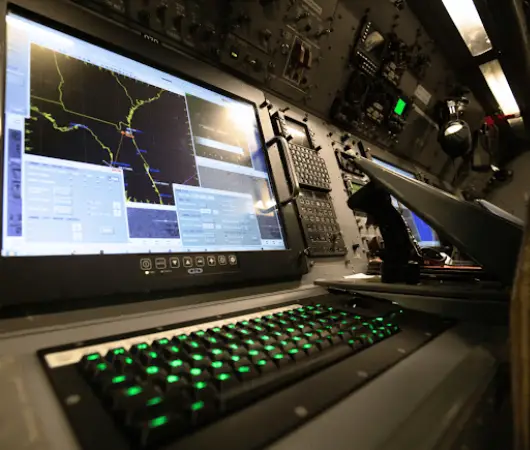
Vehicles, heavy machinery, production lines, and mobile equipment create constant vibration. Standard displays may loosen, flicker, crack, or suffer internal damage over time.
Rugged displays are designed to handle movement better.
They may include reinforced frames, stronger mounting points, and internal components tested for shock and vibration.
This proves to be very important in forklifts, service trucks, rail systems, aircraft support equipment, and industrial control stations.
A screen mounted in a moving vehicle needs more than a good picture.
It needs stable performance under motion.
Many workers cannot remove gloves just to operate a screen. In some settings, gloves are required for safety, hygiene, cold protection, or chemical handling.
Rugged touchscreen systems support gloved input, wet touch, and pressure-based interaction.
This improves usability on the job.
A display that cannot respond properly creates delays and frustration.
Useful features include:
Hardware matters, but software layout also matters.
Buttons, menus, and alerts should be easy to use in real working conditions.
Rugged displays often cost more upfront than regular-use screens. That does not automatically make them more expensive over the long term, though.
In harsh workplaces, consumer displays may need frequent replacement. They may also cause downtime, repair costs, lost productivity, and repeated installation work.
A rugged unit can reduce those hidden costs.
The value comes from longer service life, fewer failures, better uptime, and less disruption.
For operations that depend on real-time data, replacement cost is only part of the equation.
The bigger issue is what happens when the screen fails during active work.
Displays often show more than basic information. They may show warnings, machine status, navigation, sensor data, work orders, diagnostics, or emergency messages.
If that information disappears, workers lose visibility into the process around them.
Rugged displays help keep critical information available.
This supports safer decisions in environments where timing matters.
In industrial work, a delayed alert can create risk.
In transportation, a poor screen can affect route visibility.
In field operations, a failed display can slow communication with the team.
Reliable visual systems help workers stay informed.
Harsh environments usually utilize specialized systems. Displays may need to connect with rugged computers, cameras, sensors, diagnostic tools, or control platforms.
Compatibility matters.
Teams should always review mounting options, power requirements, communication standards, and environmental certifications before proceeding to buy a rugged system.
A rugged display should fit the full workflow.
It should not require awkward adapters, fragile cabling, or unstable mounting just to work.
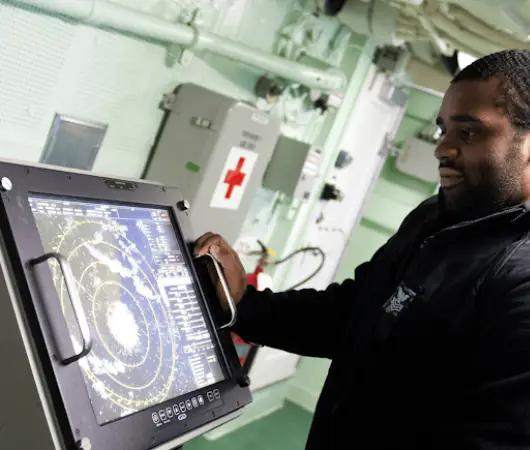
Rugged displays matter a lot because tough workplaces require more than just technological advancement. Dust, moisture, vibrations, glare, temperature changes, and constant handling can quickly expose the limits of a standard screen.
The right display improves uptime, readability, safety, usability, and long-term cost control.
Before confirming your choice, review the work environment, mounting needs, touch requirements, protection ratings, and system compatibility.
A rugged display is not only a stronger screen.
It is part of keeping the operation visible, connected, and reliable when conditions are difficult.
The following are the features that help the most:
Rugged displays include high-brightness panels, anti-glare coatings, and wide viewing angles. These features improve visibility when operators need fast access to data.
Teams should always review mounting options, power requirements, communication standards, and environmental certifications before proceeding to buy a rugged system.

DeviceFixes keeps your devices running like new with fast, reliable repair solutions for every issue—anytime, for any Samsung or Apple device.
Free Repair Quote
Address : Canal St, Manhattan, New York, USA, 10013
Contact : +1 917 475 0206
Email : contact@devicefixes.com
Disclaimer : Please contact your local store for details on their specific repair options and warranty terms. DeviceFixes and its stores are not responsible for warranties offered by third parties on accessories or devices sold at DeviceFixes locations. All product and company names are trademarks of their respective owners. iPhone, iPad, iPod, iPod touch, Mac and iMac are registered trademarks and property of Apple Inc. DeviceFixes is a third-party repair company and is not affiliated with Apple.