

Your iPhone’s charging port might not be working properly due to some common issues like dust and debris decomposition, usage of faulty cables, inappropriate power supply, and lastly, there are some chances of hardware failure also.
iPhone Charging Port Repair: Common Problems, Fixes & Repair Costs
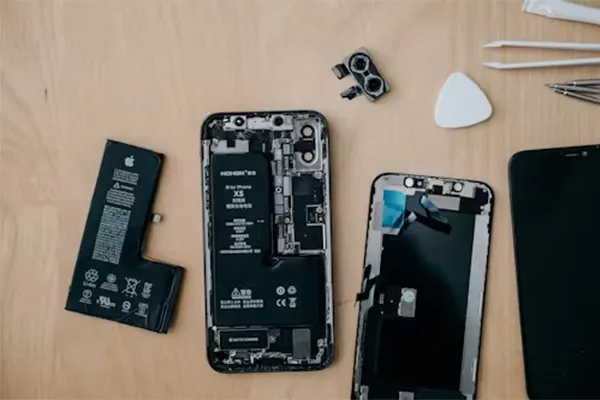
There might be so many instances in your routine where your iPhone is charging slowly, or it is only consuming the power from weird angles, which directly indicates that something is wrong with your device’s charging port.
While many users worry that their device may need an expensive repair, several common charging port problems can actually be identified and even resolved at home. If the issue requires expert assistance, professional iPhone repair services can help diagnose both hardware and software-related charging problems. In this article, we have compiled everything about iPhone charging port repairs, which covers some crucial concerns like common problems, repair costs, and practical DIY solutions to help get your device charging properly again.
Table of Contents:
- What is an iPhone Charging Port?
- Signs Your iPhone Charging Port Is Not Working
- Common Causes of a Damaged Charging Port
- How to Fix iPhone Charging Port Problems at Home?
- When You Need Professional iPhone Charging Port Repair
- iPhone Charging Port Repair Cost
- iPhone 12 Charging Port Repair
- iPhone 13 Charging Port Repair
- Can a Broken iPhone Charging Port Be Repaired?
- Apple Store vs Local Repair Shop: Which Is Better?
- How to Prevent iPhone Charging Port Damage
- Wireless Charging as an Alternative
- FAQs About iPhone Charging Port Repair
- Conclusion
What is an iPhone Charging Port?
iPhone port is a major utility that is used for processing multiple functions in it, like charging the battery, transferring wired data for the internet or file transfers and connecting audio units like headphones and earphones. In modern-day iPhones, there are mostly two types of charging ports: Lightning port and USB Type-C (depending on the model). From iPhone 15, after the EU trade intervention, the integration of Lightning ports has been completely prohibited on all Apple devices, and they transitioned completely towards USB Type-C ports.
How the iPhone Charging Port Works?
iPhone charging port processes delivery of electric charge, allows accessory integrations via built-in chips, and frequently maintains the flow of fast charging while preventing battery stress in the devices to enhance longevity of both software and hardware elements. It is also empowered to promote faster data transfer from various accessories like pendrives, computers, tablets, etc., through wired connections.
Difference Between Lightning and USB-C Ports
Many people think that the major difference between lightning and USB-C ports is faster charging speeds, which is somewhat true, but there are also some attributes that make them unique. For clarity, we have created a comparison that will explain the differences in detail.
| Lightning Port | USB-C Port |
| The usability and connectivity of the Lightning port are restricted to only the Apple Ecosystem. | USB ports have universal compatibility with all devices from other brands, and you can access multiple ecosystems. |
| Data transfers from the Lightning port are good, but not as much as the new-gen USB ports. | On the other hand, USB-C ports carry the fastest capabilities in data transfers due to advancements in their chain of components, like USB 3.1 and USB 4. |
| The utilities that support Lightning ports are more expensive than those that support USB-C ports. | Likewise, accessories that come with USBs are affordable in pricing and are easily available in both offline and online markets. |
Signs Your iPhone Charging Port Is Not Working
There are always some signs that tell your iPhone’s charging port is not working as it should, which you often overlook or think that they are not that serious, but that’s the biggest mistake, as they can cause complete disruption of basic features in your devices and cause data loss, which will make you require iPhone data recovery software. Before attempting recovery, it’s also a good idea to transfer photos from iPhone to PC to keep your important files safe.
There are some factors that you should never ignore that cause port failures, like:
1. iPhone Charges Only at Certain Angles
If your iPhone charges only at certain angles and stops charging the moment you change its position, then it is the biggest sign of a broken or damaged port. This indicates that only some areas of the port are taking the power input, and it is not delivering the optimal output for ideal charging speed.
2. Charging Cable Keeps Falling Out
Suddenly, if one day your charging cable gets loose and keeps falling out, then you must know there is something wrong with your device’s connectivity driver, as there is a chance that it has loosened due to an external impact like a fall or a push.
3. Slow or Intermittent Charging
In many cases of port failures, the charging of the iPhone either becomes very slow or intermittent, which causes many problems in general usage and gives people frustration due to improper performance. If you are facing the same situation, then it’s time to rush to your nearest official or third-party service shops.
4. iPhone Not Charging at All
Now this is where things get very concerning, your iPhone stops charging completely and all you’re left alone with your weird thoughts like “what have I done wrong?”. See, there are two possibilities: either it is not charging due to a software glitch, or something in the device’s hardware is preventing the power output.
5. Accessory Not Supported Error
In many instances, the pins of our chargers or earphones are damaged, and being unaware of their actual condition, we plug them constantly, but this can have so many serious implications for our phones, further leading to speaker and motherboard failures. Make sure to change those accessories and buy new ones instead.
Read more: iPhone Touch Screen Not Working? Step-by-Step Troubleshooting Guide
Common Causes of a Damaged Charging Port
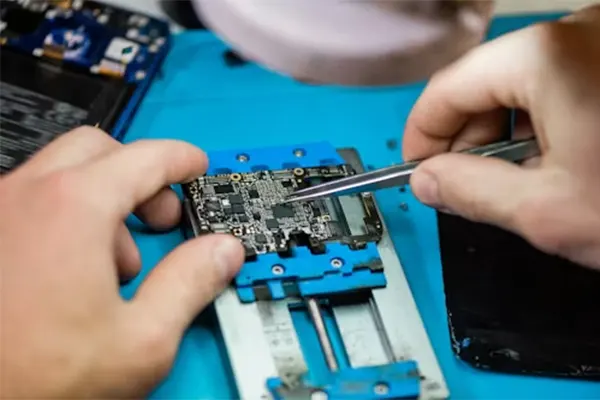
There are so many reasons that can damage a charging port, but only a few of them happen to be the main culprits. Some of the common ones are elaborated below:
Dust and Lint Buildup
Dust and debris buildup is the most common issue that stops the charging of your devices, as they entirely block the entry of any power source. They mostly arise due to filthy surroundings or mainly using your phones outside your house, where the air is filled with large dust particles that stick to the openings of your devices.
Water or Moisture Damage
Water or moisture damage can be the most critical thing for any mobile phone user because water spreads faster inside the internal components. The destruction caused by these two threats is irreparable in most cases, as they rapidly reach the motherboard and break the miniature circuits inside it.
Using Cheap or Fake Chargers
Cheap chargers available in the market are your biggest enemy! You might think you’ve saved a lot of money in the beginning, but after a couple of months, your iPhone’s performance starts to degrade, and soon you will regret it. Simply purchase an official charging unit, as they are one-time investments and provide more longevity than a third-party charger ever could.
Accidental Drops and Physical Damage
Accidents can happen anywhere and with anyone, but the severe ones can bring everlasting damage to the charging ports of your device, and you have to get them replaced. Always stay cautious while using your phones, and apply protective covers to prevent breakdowns.
How to Fix iPhone Charging Port Problems at Home?
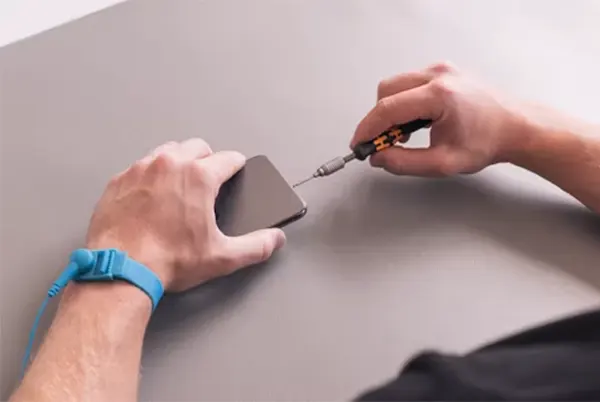
There are times when the port damage is not that extreme, and there is room for home repairs and some troubleshooting techniques. You can fix the port to some extent using some easy methods that are listed below:
Clean the Charging Port Carefully
Carefully cleaning the charging ports gets the job done in most cases, as the filth stacked in open spaces is causing the real disruption in the charging, hence removing them provides an instant fix. You can use alcohol-based solutions and eartips for the best results.
Restart Your iPhone
Sometimes the issue persists in the software rather than the hardware due to some system bugs or glitches. That’s why the best thing you can do is to restart your device, as it eliminates the system bugs and glitches that came from the user data cache or installation units from particular apps or files.
Try a Different Lightning Cable
Using different lightning or USB-C cables and disowning the old ones can provide an instant fix in this situation, as in several cases, the outdated cables are not efficiently supplying energy to devices due to internal malfunctions. If you’re considering upgrading instead of repairing, checking the latest iPhone 17 colors can help you explore Apple’s newest lineup. Carefully check the damage or any loose wiring in both ends of the cable using a magnifying glass. Purchase the new cable immediately if you have been using the old one for more than 2 years.
Update iOS Software
iOS security patches and software updates can fix some rare bugs and errors that are affecting your device’s battery efficiency and power supply. Installing new versions removes them the second you relaunch your phone with a fresh operating system.
When You Need Professional iPhone Charging Port Repair
To identify when you require the professional iPhone charging port repair the most, there are some scenarios that must be considered first.
- If your charging is completely broken due to the force insertion of the wire or any accident, then head up to professionals for repair and consultation. Users with other Android devices experiencing similar issues can also explore Samsung phone repair solutions for brand-specific troubleshooting.
- During port damage, there is a possibility that some other parts are also affected, so ensure that the hardware accessibility and sensors are intact through a professional assessment.
- Also, check that no amount of water is present in the hardware as its little bit presence can stop the entire device.
iPhone Charging Port Repair Cost
iPhone charging port repair cost depends on various factors like the model, authorised centres, location and involvement of third-party centres, that’s why we have crafted a detailed chart that tells the port repairing cost of each iPhone generation.
| Generation/iPhone Model | Authorised Centre Repair Cost (Approx) | Third-Party Repair Cost (Approx) |
| iPhone X Series | $80 to $150 | $229 to $329 |
| iPhone 11 Series | $65 to $220 | $199 to $399 |
| iPhone 12 Series | $75 and $250 | $149 to $449 |
| iPhone 13 Series | $75 to $150 | $149 to $449 |
| iPhone 14 Series | $75 to $150 | $149 to $499 |
| iPhone 15 Series | $99 to $300+ | $500 to $600 |
| iPhone 16 Series | $125 to $190 | $199 to $500 |
| iPhone 17 Series | $100 to $200 | $269 to $600 |
What Affects Repair Pricing?
The most influential factors that affect the repair price are none other than the model configuration and the generation of the iPhone. Older iPhones like X or 8 have been discontinued long ago, so finding their original parts becomes a hectic job; thus, repairing shops and Apple centres charge a higher amount.
On the other hand, iPhones, which are still in production, are highly likely to get fixed easily and comparatively much cheaper than the old model due to the robust availability of their components in offline and online markets.
iPhone 12 Charging Port Repair
iPhone 12 is one of the most popular series produced by Apple, and millions of units were sold when it was launched back in 2021. Alongside its release, the MagSafe technology has also entered the market, and it was a hit too, as it promises faster wireless charging speed. This technology aimed to make iPhones completely wireless, but people were still using normal chargers, and some of them faced charging port issues. However, things didn’t get serious as it was faced by only a small percentage of users, and the repair cost of the iPhone 12 charging port is not that high.
The average cost of its repair in third-party centres is around $75 to $250, and in official support care units, it ranges around $149 to $449, as Apple takes this case out of warranty, “Other damage” instead of normal part replacement.
iPhone 13 Charging Port Repair
Similarly, iPhone 13 also broke so many sales records back in 2022, and many people bought its Pro version due to the integration of a 120Hz refresh rate display in an Apple mobile. This device was an instant hit among the masses, but a small chunk of the audience faced problems with the charging port.
But due to the robust availability of parts and service, things are smooth, and people are using this in 2026 too. The outsourced iPhone repair services cost in this series varies from $105 to $145, and authorised Apple centres generally charge $149 to $449.
Read more: iPhone Wallpaper Dimensions: Complete Guide to iPhone Wallpaper Size & Resolution
Can a Broken iPhone Charging Port Be Repaired?
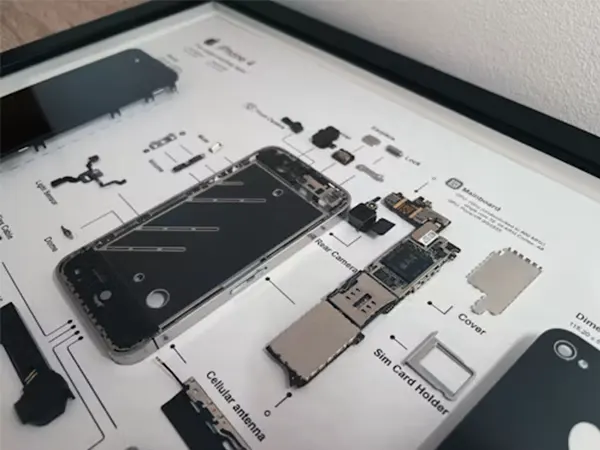
Absolutely, a broken iPhone charging port can be repaired; in fact, in over 40% cases, the charging port is not working due to the stacking of dust particles, which can be further removed, and the phone becomes as good as new. In other minor faults, the ports are repaired with expert precision and advanced tools in less than an hour. If things go well while repairing, then there is always the option of repairing the iPhone at an affordable price.
Apple Store vs Local Repair Shop: Which Is Better?
Well, the answer to this question totally depends on various situations, like for example, if you have a latest iPhone along with Apple Care Plus, then the repair and replacement of the charging port gets done with a nominal service fee; otherwise, you have to pay approximately $149- $449, depending on the damage, parts availability, and location. On the other hand, repair shops have fixed pricing, no extra charge, and get your job done for less than $100 and do the job in less than a few hours.
How to Prevent iPhone Charging Port Damage
To prevent your iPhone from any damage to the charging port, you need to follow some easy steps that allow you to maintain the longevity of your charging plugs while also disabling all heating issues and battery damage potential. Below are some of the best ways mentioned:
Use Certified Chargers
Using authorised chargers and cables made by Apple or its verified vendors, like Anker, is built to protect the hardware units of the iPhones and provide higher speeds to reduce the charging time. They also align perfectly with the dimensions of charging ports to reduce their breakdown and prevent various accidents.
Keep the Port Clean
Regularly cleaning the port and keeping it maintained reduces the maximum chances of its failures, as the biggest reason for this situation is the hard particles that float around your room, which become the main obstacle in the charging. Cleaning them with alcohol-based solutions, eartips, and toothpicks will do the job easily, and you won’t need an iPhone charging port repair service.
Avoid Charging in Wet Conditions
Charging in wet conditions not only causes disruption in the port but can also lead to pitfalls like hardware damage, speaker blockage, battery swelling, and even motherboard failure, which can lead to complete failure of your devices. To avoid this situation, always make sure to clean the surface of your charging area and ensure there are no water splashes, air moisture, or wet cloths present. Doing this will safeguard your iPhone from some serious and unbearable consequences.
Remove the Cable Carefully
Removing the cable carefully is a very important habit that you should adopt to obtain the longevity of your devices, because if you snatch away the cable or plug them on weird angles, then the chances of your port failing become significantly higher. What you should do is always remove the cables gently and never put them inside with force for the optimum charging speed and mobility.
Wireless Charging as an Alternative
If you are someone who is tired of repairing your iPhone port again and again, while also getting it repaired multiple times, then switching to wireless charging is a great option, as it breaks the hassle of cables and port malfunctioning to some extent.
Wireless charging also brings a huge amount of accessibility to the table, as you can travel anywhere with these utilities, and they provide a significant amount of power backup throughout the journey. Also, if you are a heavy user or a gamer, then they will help you to retain your screen time for longer sessions.
MagSafe Charging for Newer iPhones
MagSafe charging is one of the finest tech utilities Apple has produced in the recent decade, as it has fixed so many battery-related issues for iPhone while simultaneously revolutionising the wireless tech market through some of the best magnetic charging accessories. Products, MagSafe battery pack, MagSafe chargers, and lifestyle utilities like MagSafe wallet have been highly preferred by Apple for years due to their enhanced impact on battery life and eliminating the hassle of carrying multiple wires all along.
Limitations of Wireless Charging
While wireless charging is a great accessibility for many people, some drawbacks become unbearable in the long term and affect the overall experience of users due to some limitations, such as:
- Slower charging speeds
- Insufficient efficiency
- Battery backups can only charge the device once or twice.
- Thermal heat from wireless chargers can cause battery damage also.
- Third-party wireless chargers have a very poor lifespan.
FAQs About iPhone Charging Port Repair
Why is my iPhone charging port not working?
How much does iPhone charging port repair cost?
It costs around $50 to $150 at third-party stores, and if you have AppleCare Support, then all parts (except major ones) can be fixed for a general fee of $99. Although in official centers, prices of older and warranty out-of-device can go up to $260.
Can Apple replace a damaged charging port?
Apple replaces a damaged charging but it charges accidental repair fees as the charging port is not directly covered in their terms, but they put genuine parts.
Can I clean my iPhone charging port myself?
Yes, you can clean your iPhone port by yourself if the dust particles aren’t too deeply stacked. You will require professional cleaning tools to complete the restoration process if there is too much debris inside the port.
Is it worth fixing a broken iPhone charging port?
Technically, yes, because it is not an expensive part in both official and third-party centres, hence fixing it gets your iPhone back to life and makes it completely good as new.
How long does a charging port repair take?
Well, a standard charging port repair time can take up to 15 minutes to 2 hours straight, and it totally depends on the amount of damage it has.
Conclusion
So, this was all about the iPhone charging port not working situation that people often face every day, but it can be easily avoided with some preventive measures, and in some cases, the port can be fixed with easy remedies like port cleaning, updating the iOS or trying a different cable that has better durability along with Apple verification.
Also, make sure to never pay more than the market price of port repair (which we have mentioned above) to the third-party vendors. If you want more such guides about the maintenance of your devices and their common repair solutions, then make sure to follow Devicefixes to fulfil all your day-to-day needs.
Sources:
iPhone charging port repair and replacement options by Apple Support Community